



In this video we show you how to connect your Tumblr account to Neyrova.
Video tutorial
This guide explains how to connect a Tumblr account to Neyrova so you can manage your blog content directly from the platform.
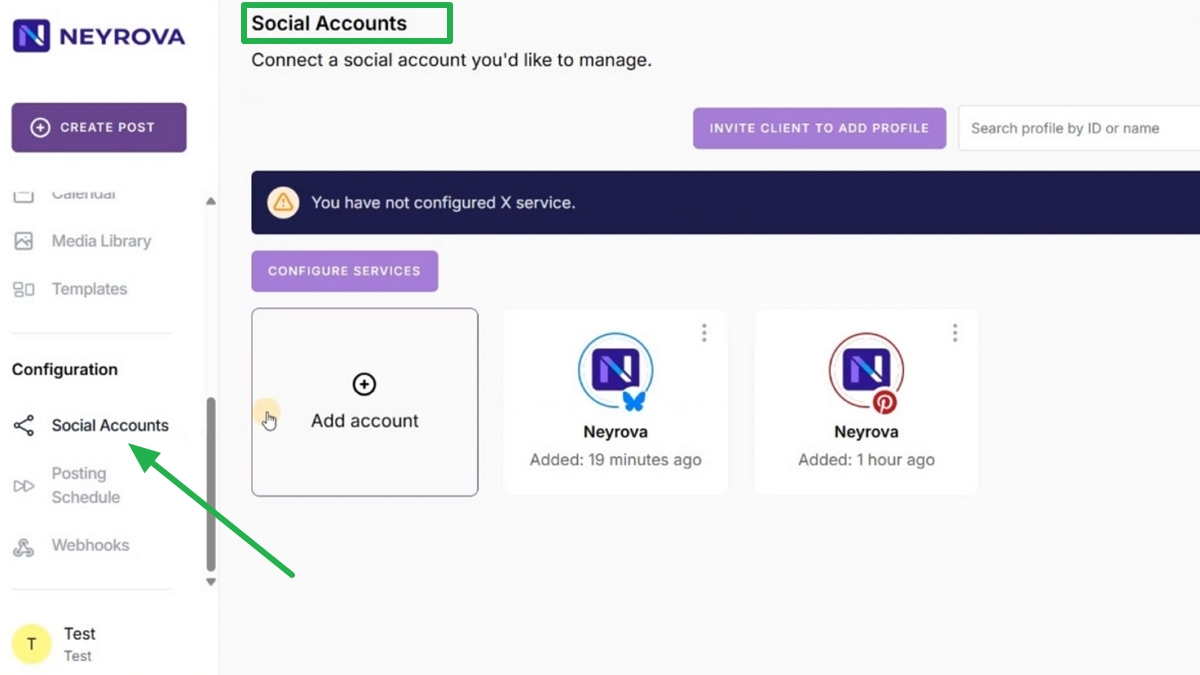
1. Open the Social Accounts Section
In the Neyrova dashboard, click the Social Accounts tab in the navigation menu.
This section allows you to connect social media profiles and blogs to your Neyrova account.
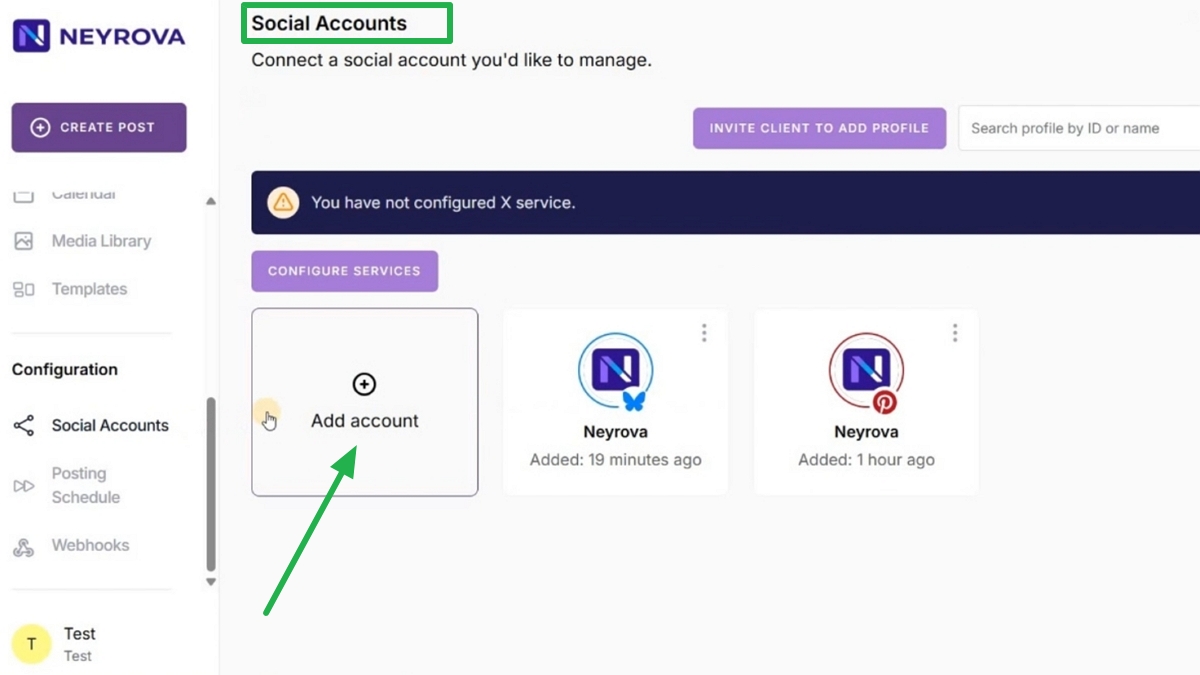
2. Click Add Account
In the Accounts section, click the Add Account button.
A list of available social networks will appear.
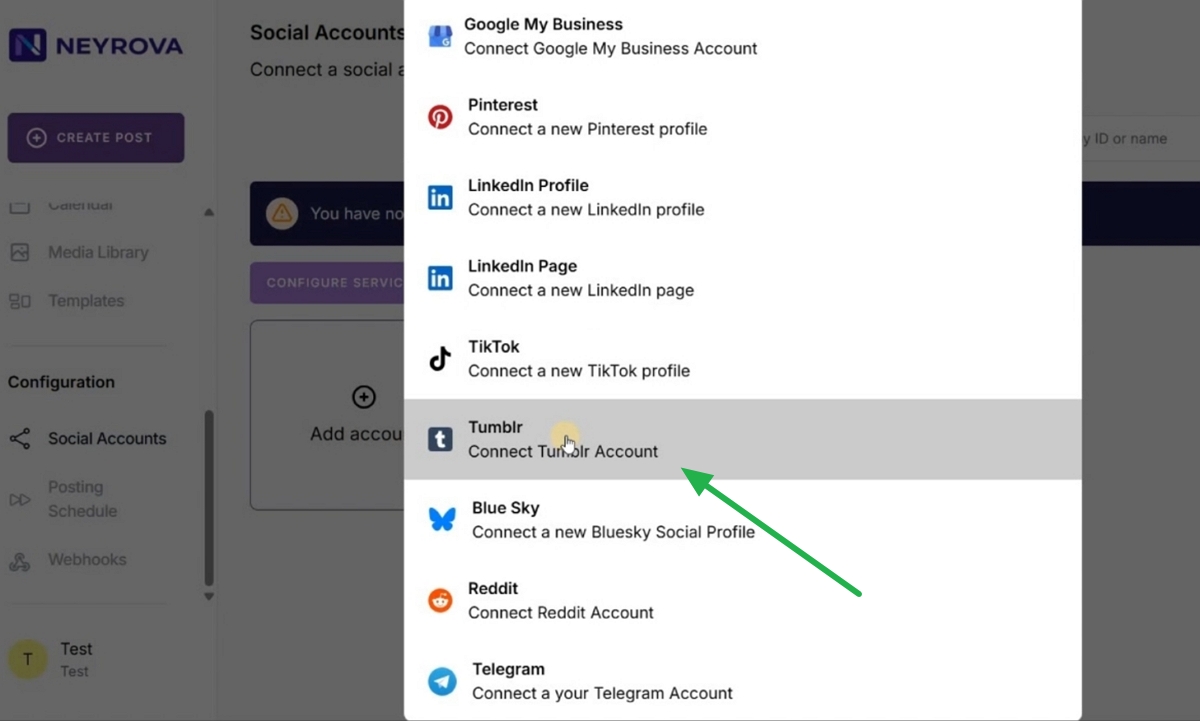
3. Select Tumblr
From the list of available social networks, select Tumblr.
A new window will open where you can sign in to your Tumblr account.
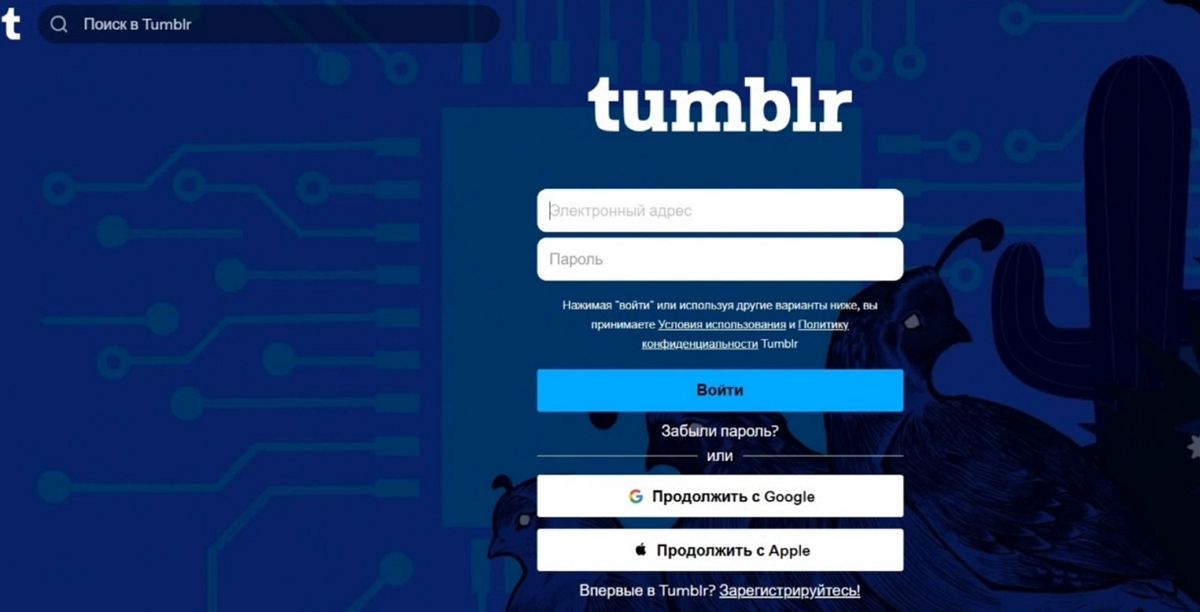
4. Sign In to Your Tumblr Account
In the authorization window, enter your Tumblr account credentials.
Then click Login.
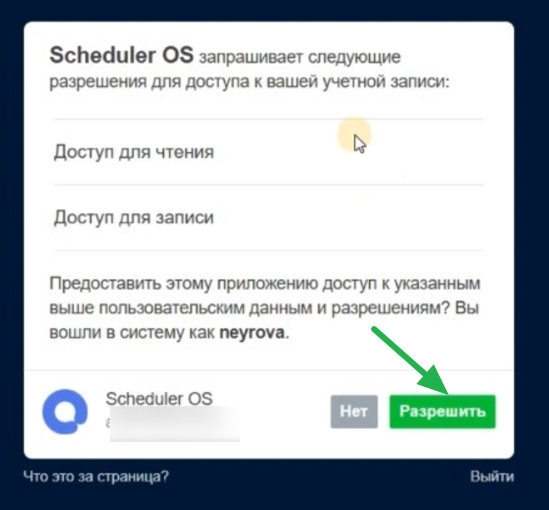
5. Grant Access to Neyrova
After signing in, Tumblr will ask you to grant Neyrova access to your account.
Click Allow to confirm the connection.
6. Verify the Connected Blog
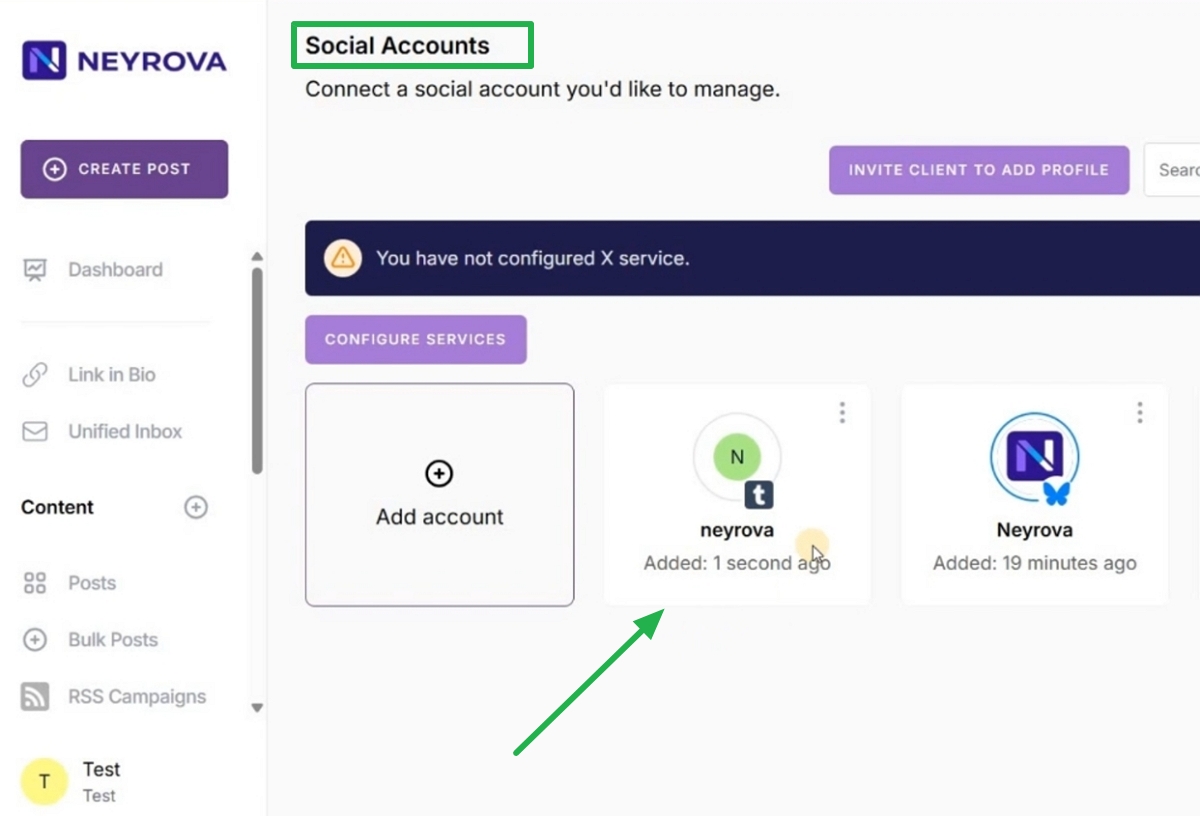
Return to Neyrova and open the Social Accounts section.
Verify that your Tumblr account appears in the list of connected profiles.
Summary
After connecting your Tumblr account to Neyrova, you will be able to manage Tumblr content directly from the platform.
This allows you to manage your Tumblr blog alongside other social media accounts from a single Neyrova workspace.