



This guide explains how to use AI Writer to generate hashtags in Neyrova, save them in Hashtag Manager, and reuse them in future posts.
1. Sign in to the Neyrova Dashboard
Log in to your Neyrova account and open the dashboard.
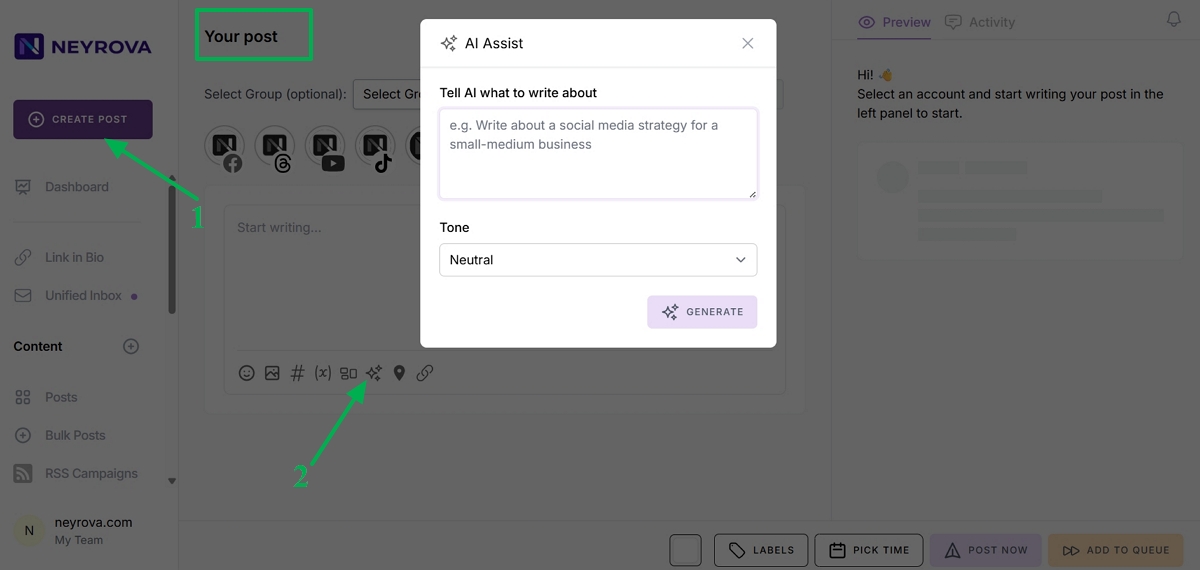
2. Click Create Post
In the dashboard, click Create Post to start creating a new publication.
3. Open AI Assistant
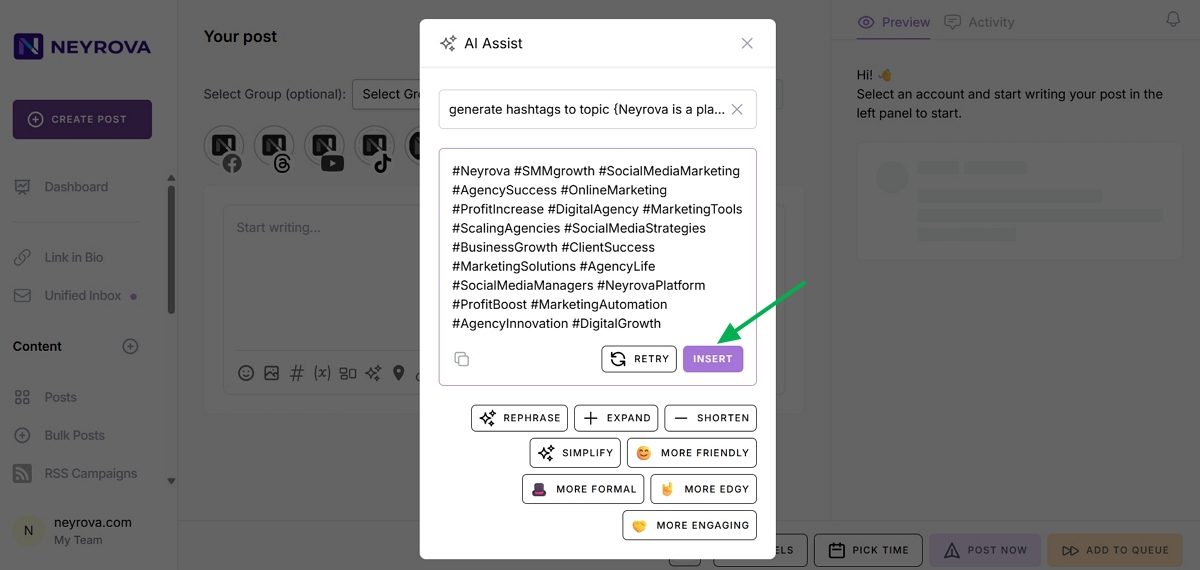
Under the text input field, click AI Assistant.
Using this tool, you can ask AI to generate hashtags for your post or a specific topic.
4. Enter a Topic or Keywords
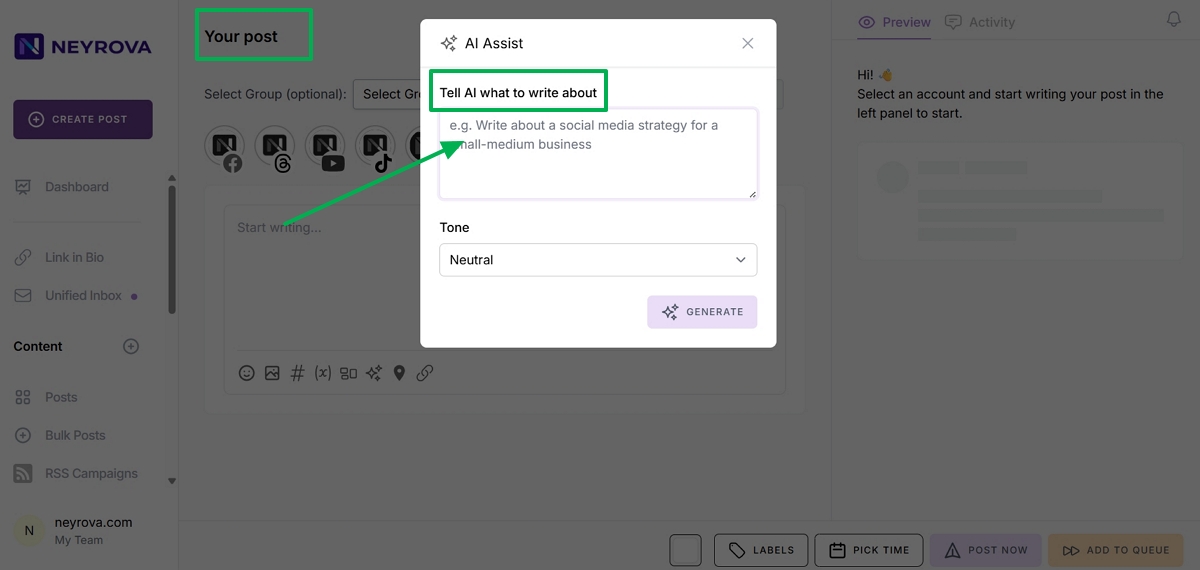
In your request to AI Assistant, enter the post topic or keywords for which you want to generate hashtags.
The more specific your request is, the more relevant the generated hashtag list will be.
5. Select the Tone of Voice
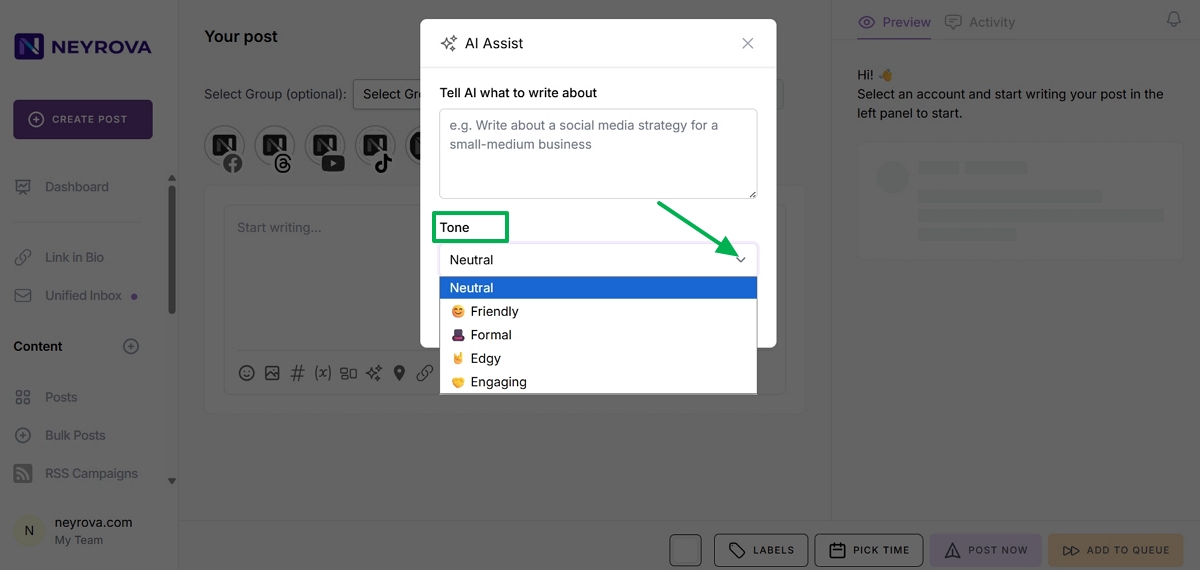
Before generating hashtags, select the desired tone of voice.
This helps tailor the results to your brand style, post topic, or communication format.
6. Click Generate
After entering the topic or keywords, click Generate.
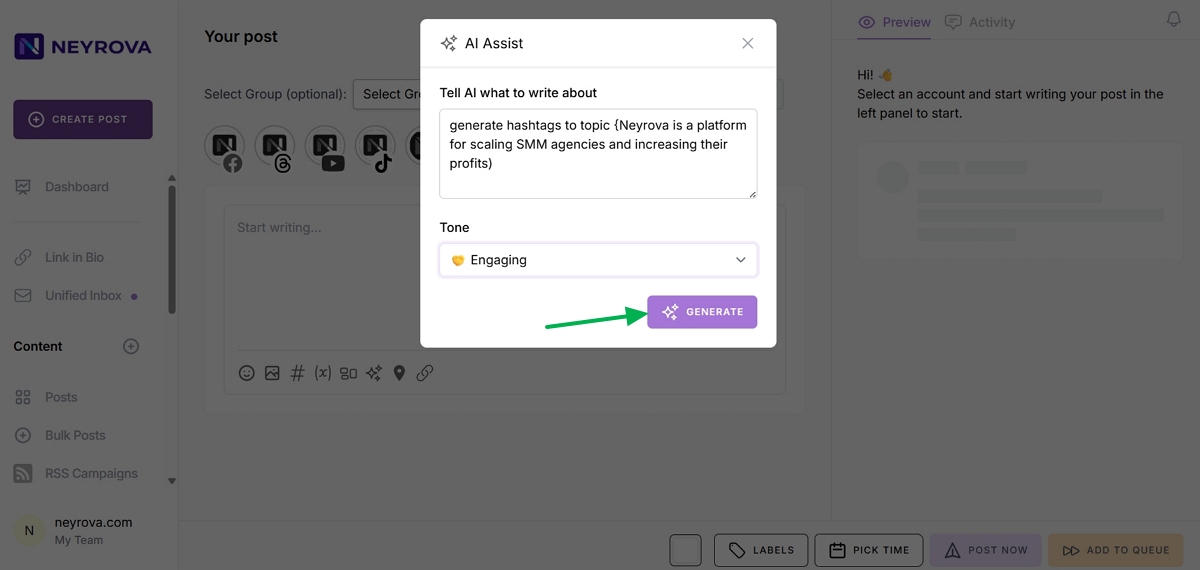
AI will generate a list of relevant hashtags for your publication. Click the Insert button to add the hashtags to your new post.
7. Add Hashtags to the Post
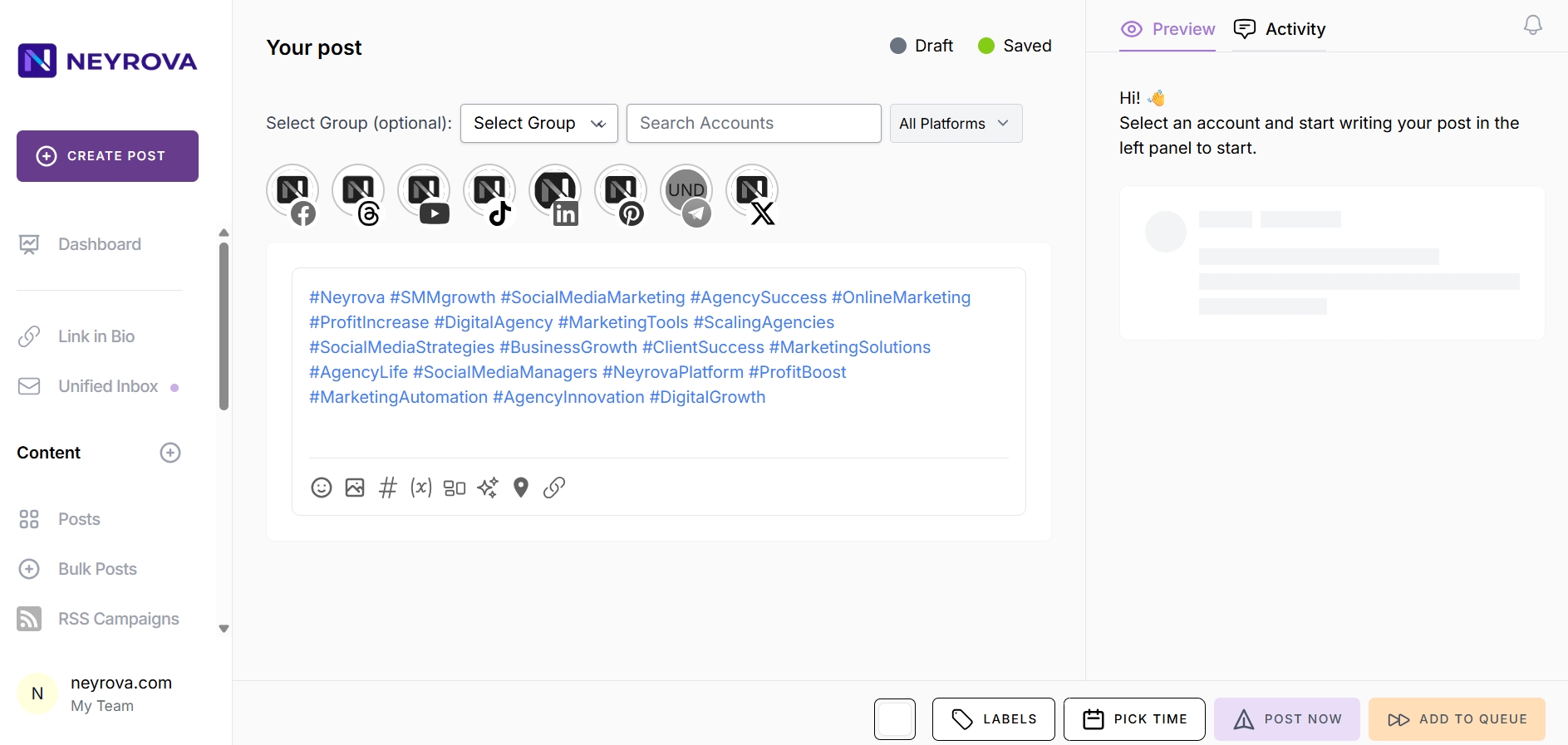
Review the suggested hashtags and select the ones that best fit your publication.
Add the selected hashtags to the post text.
8. Open Hashtag Manager
To save the selected hashtags for future use, copy them and open Hashtag Manager.
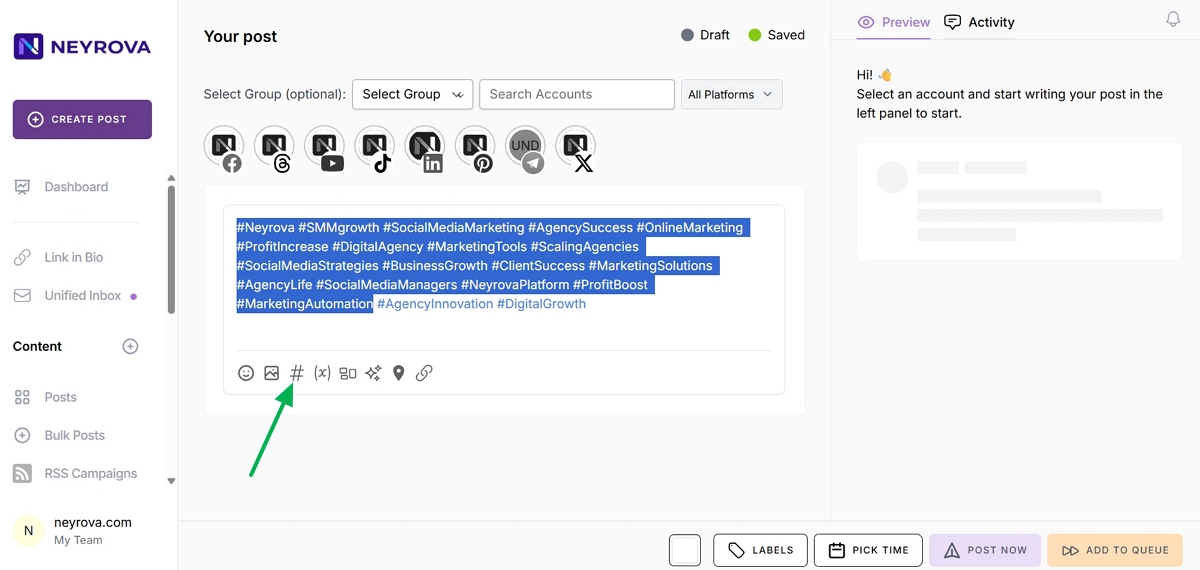
In this section, you can create hashtag groups and reuse them in other posts.
9. Create a New Hashtag Group
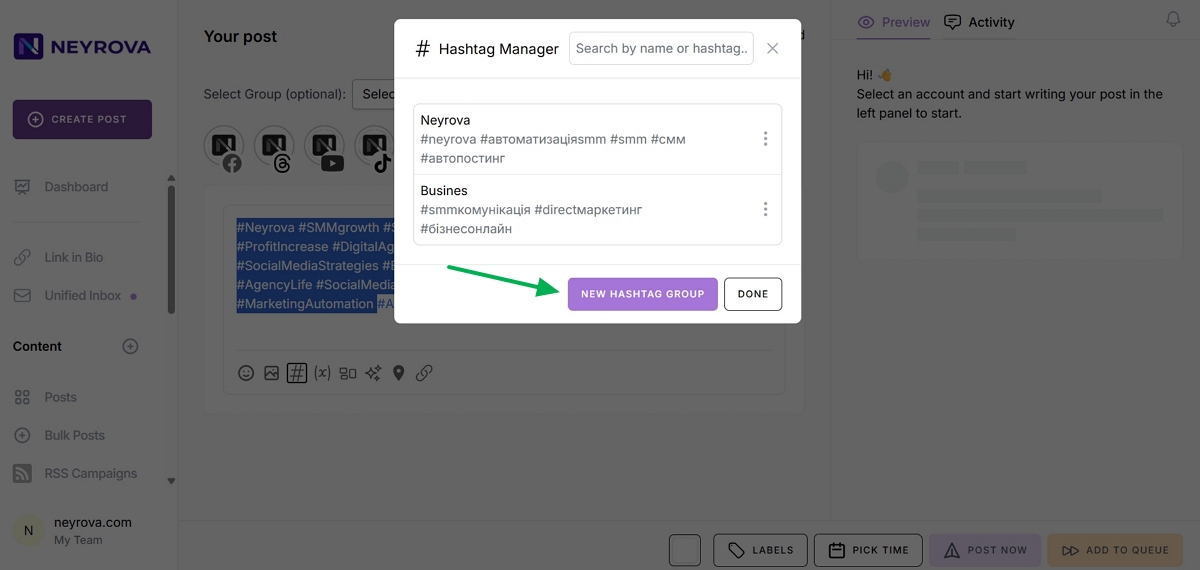
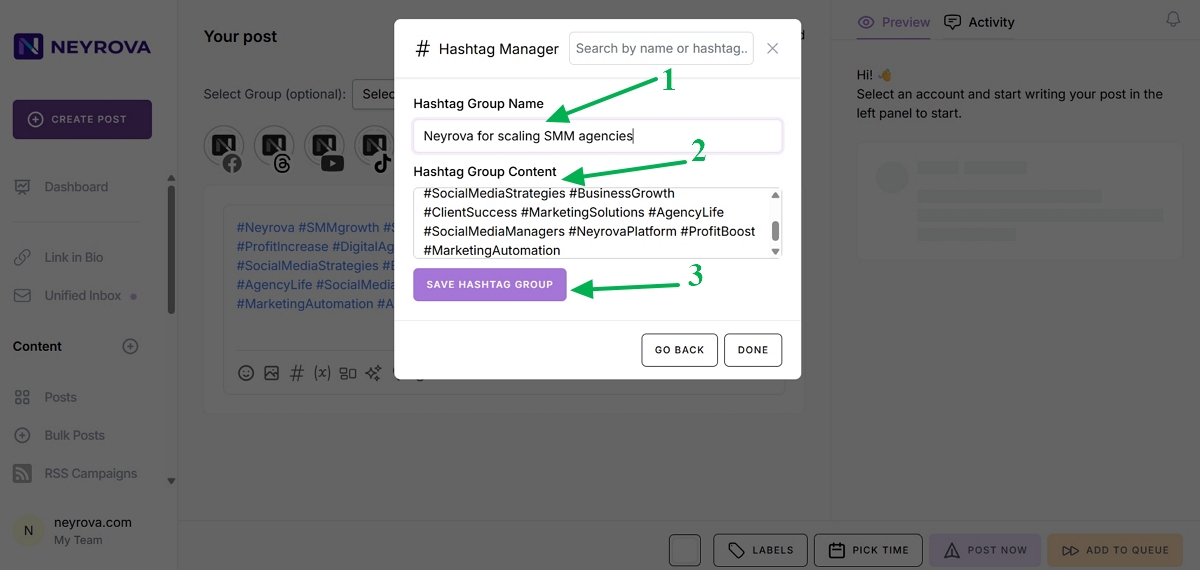
In Hashtag Manager, create a new hashtag group.
Enter a group name in the Hashtag Group Name field so you can quickly find the required set later.
Paste the generated hashtags that you previously copied into the Hashtag Group Content field.
Then save the hashtag group.
10. Click Done
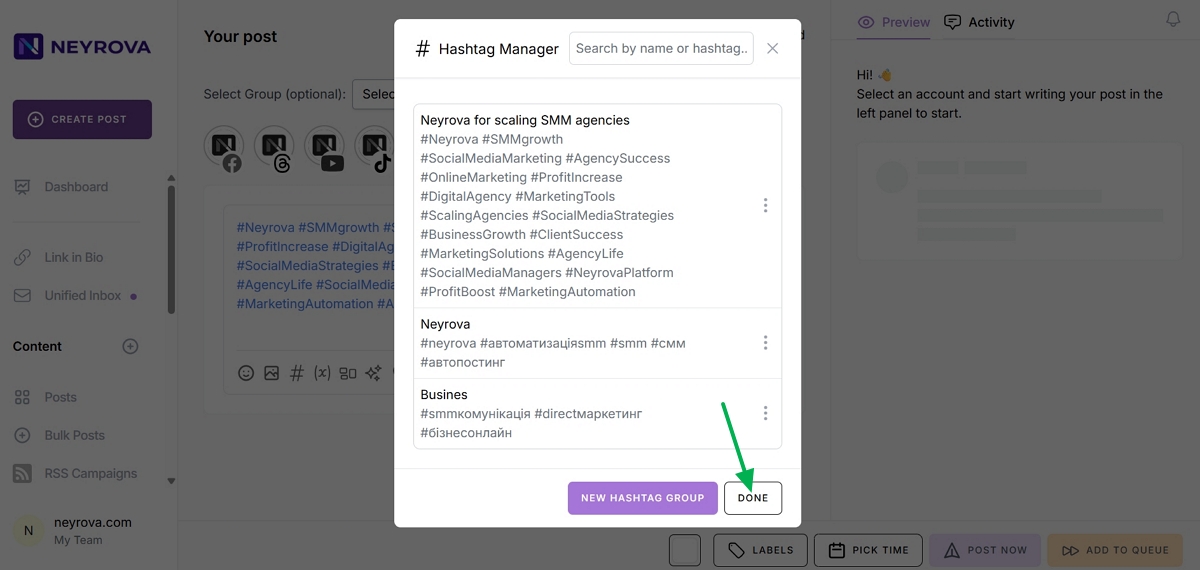
After saving the group, click Done to complete the setup.
11. Review Saved Hashtag Groups
To view all saved hashtags, open Hashtag Manager again.
All created hashtag groups will be available there.
12. Use Saved Hashtags in a New Post
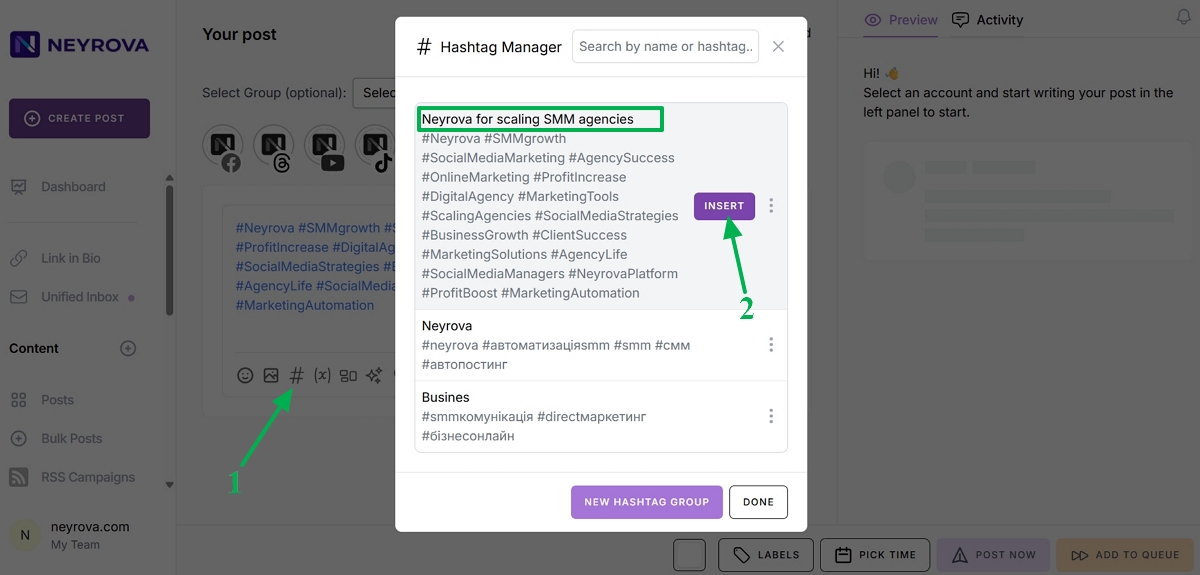
To add saved hashtags to a new post, create a publication, open Hashtag Manager, and select the desired group.
Then insert the hashtags into the post text by clicking the Insert button.
Summary
In Neyrova, you can generate hashtags using AI Assistant, add them to posts, and save ready-made collections in Hashtag Manager.
This helps you prepare publications faster, work with ready-made hashtag groups, and reuse them in future posts.