



This feature allows you to automate publications so that your content appears regularly for your audience without manual rescheduling.
Please note: post repetition can only be configured after the post has already been scheduled.
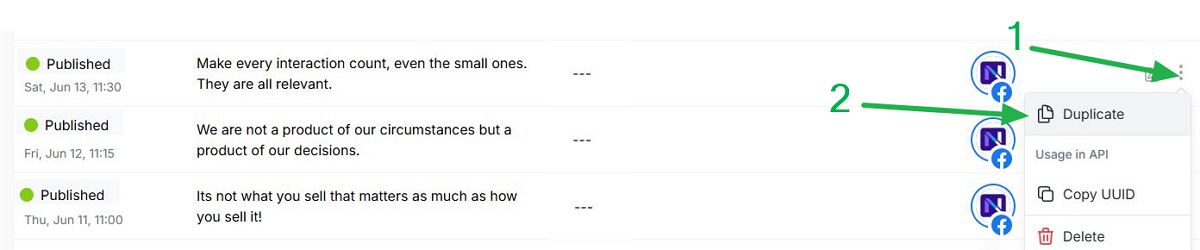
If you want to repeat already published posts, simply copy the post: find the three vertical dots on the right side of the post and select Duplicate. Then schedule a publication date by selecting a date and time in the scheduler instead of publishing it immediately.
Let’s get started. First, sign in to your Neyrova account. In the dashboard, click the Posts tab.
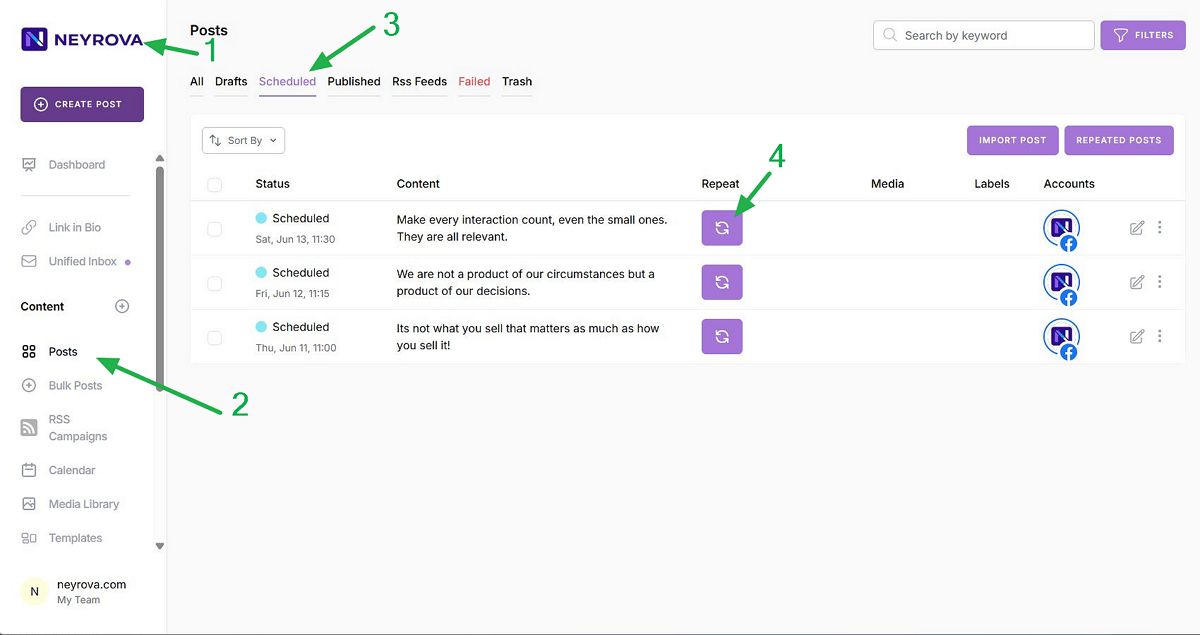
Next, go to the Scheduled Posts section. Here you will see a list of all scheduled publications.
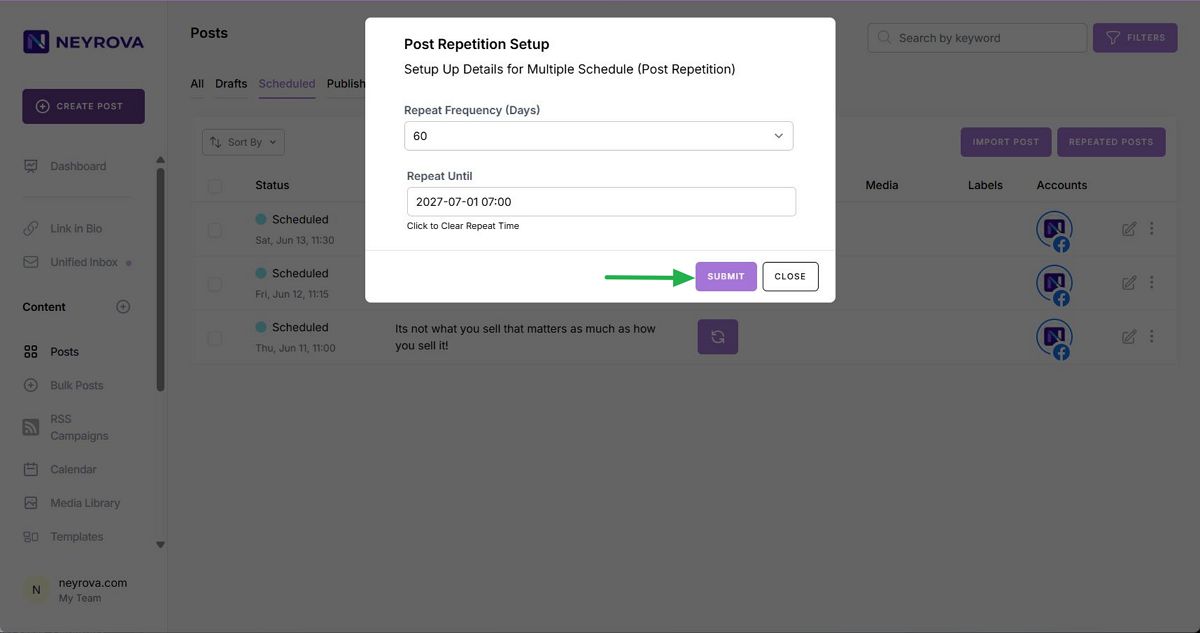
To enable repetition, click the repeat icon next to the desired post.
In the repetition settings, choose the frequency. For example, a value of 1 means daily repetition, while a value of 60 means repetition every sixty days.
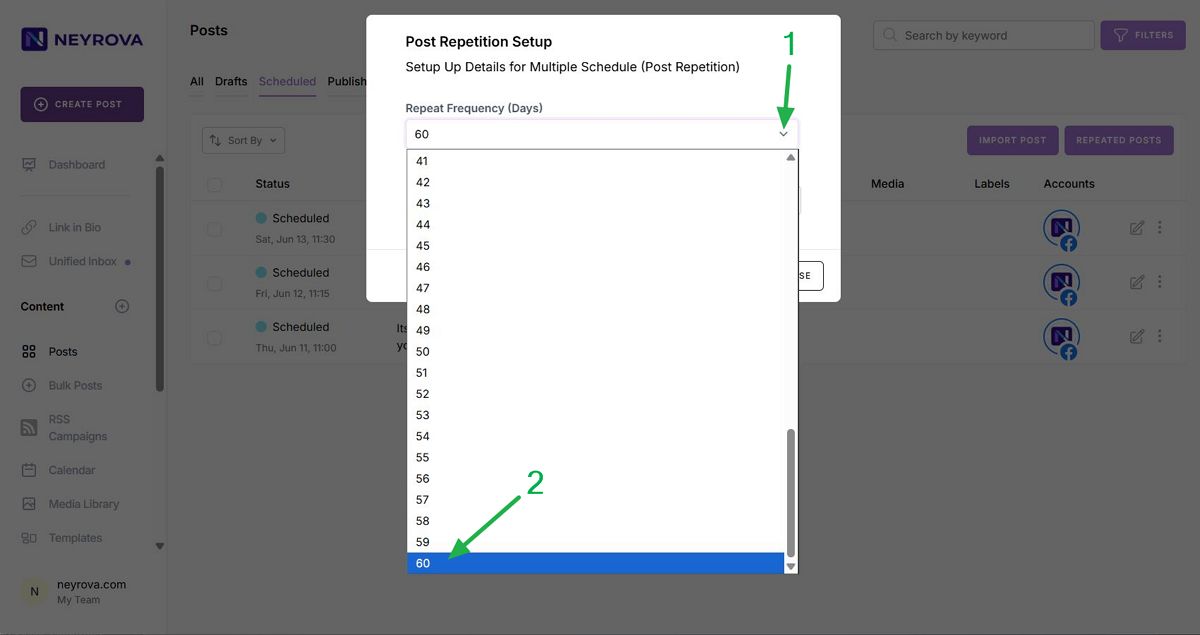
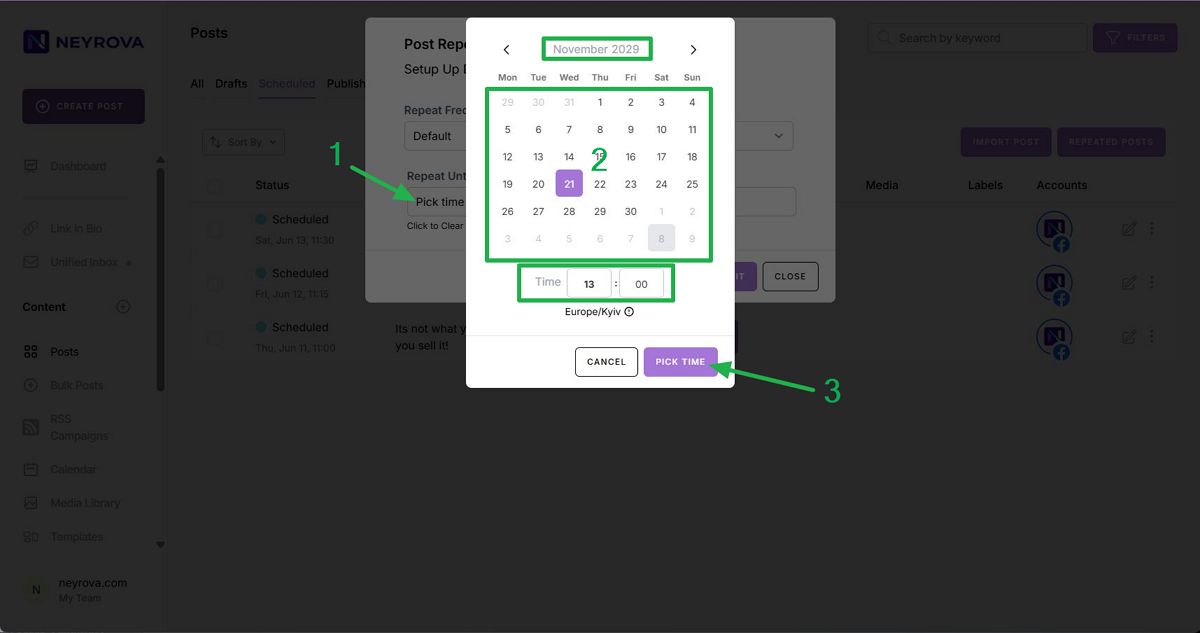
Select the interval that matches your strategy. Then specify the repetition end date and click Submit.
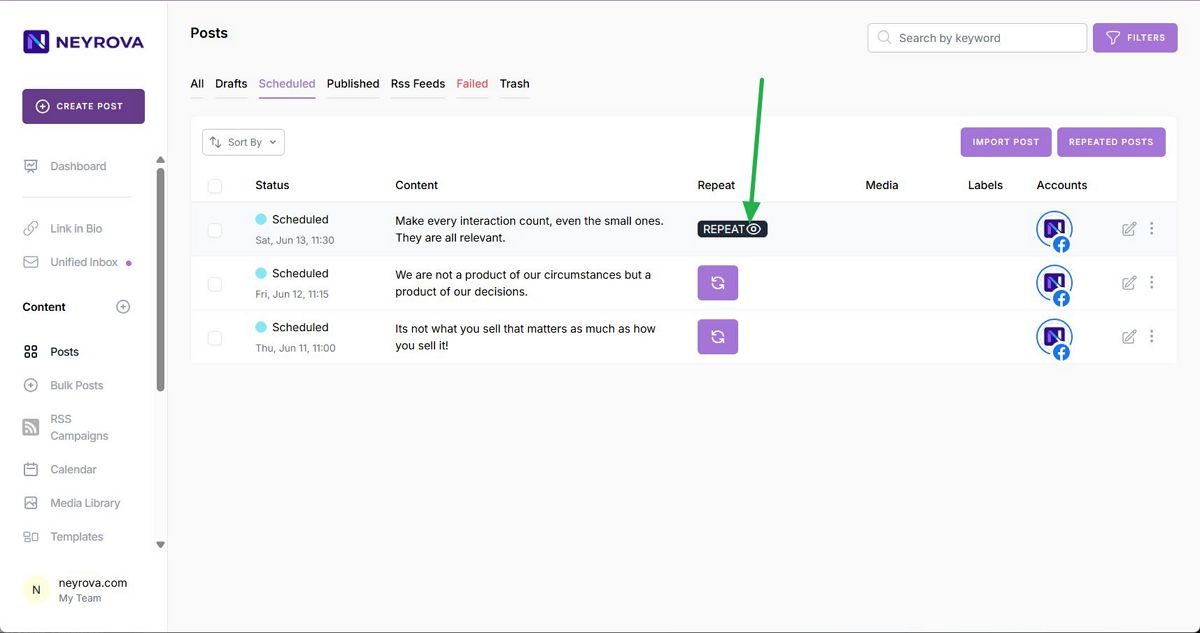
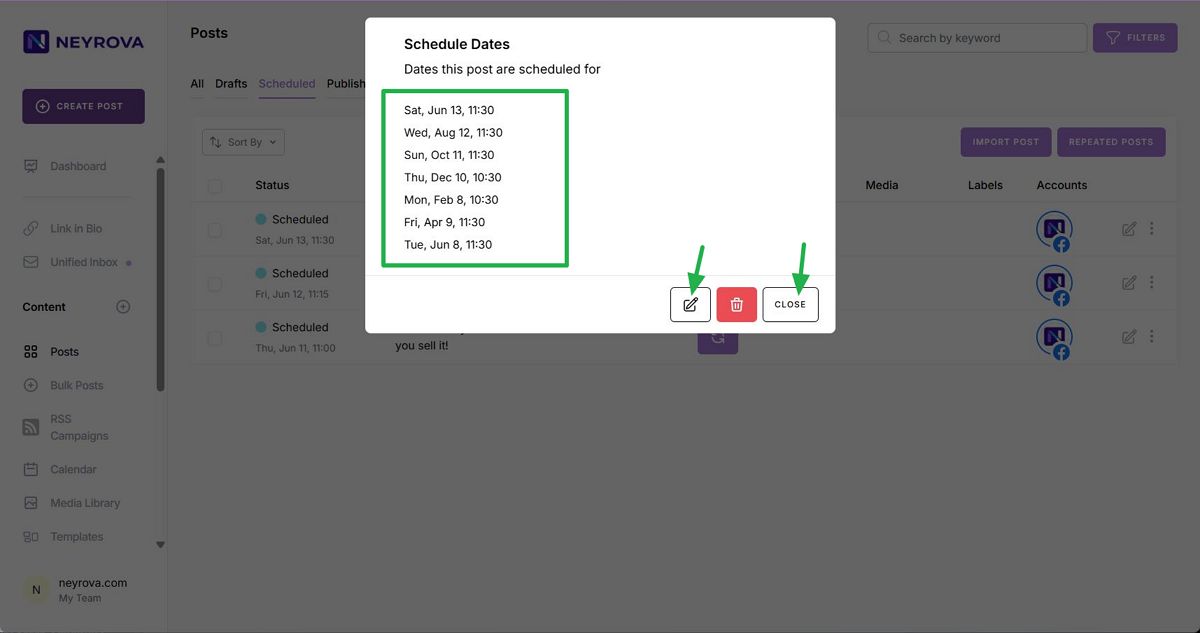
To view recurring posts, click the repetition preview button with the information icon. You will see all posts up to the selected date that repeat according to the specified interval.
Here you can make changes if you notice any mistakes in the dates or frequency. Alternatively, close the window without making changes.
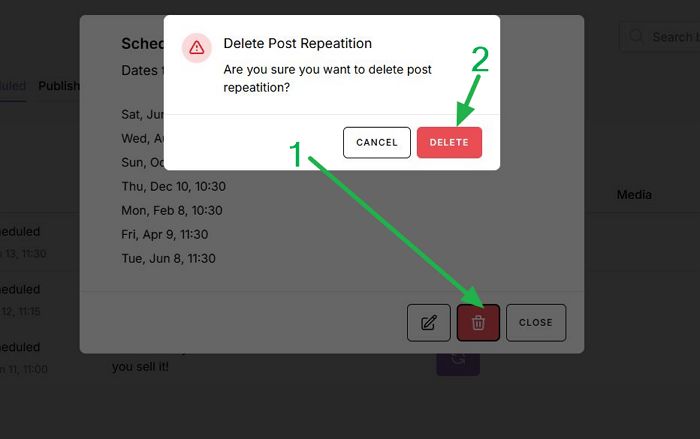
If you want to cancel future repetitions, click Delete and then click Delete again.
Done. You have successfully configured and reviewed post repetitions in Neyrova.
This feature helps save time and maintain consistent activity on social media.
This concludes the tutorial.