



This guide explains how to configure the publishing queue in Neyrova, set days and times for automatic posting, and add content to the queue.
This is one of the available content scheduling methods. The first method is scheduling each post individually by setting a specific publication date and time. This method allows you to avoid assigning a separate time to every post. Instead, you simply add posts to the queue, and Neyrova publishes them automatically according to the queue order.
The publishing queue is a schedule that Neyrova uses to automatically publish posts on selected days and at selected times.
This is useful when you want to prepare content in advance and maintain a consistent social media presence.
1. Sign In to Your Neyrova Account
Open Neyrova and sign in to your account.
After signing in, navigate to the dashboard.
2. Open the Posting Schedule Section
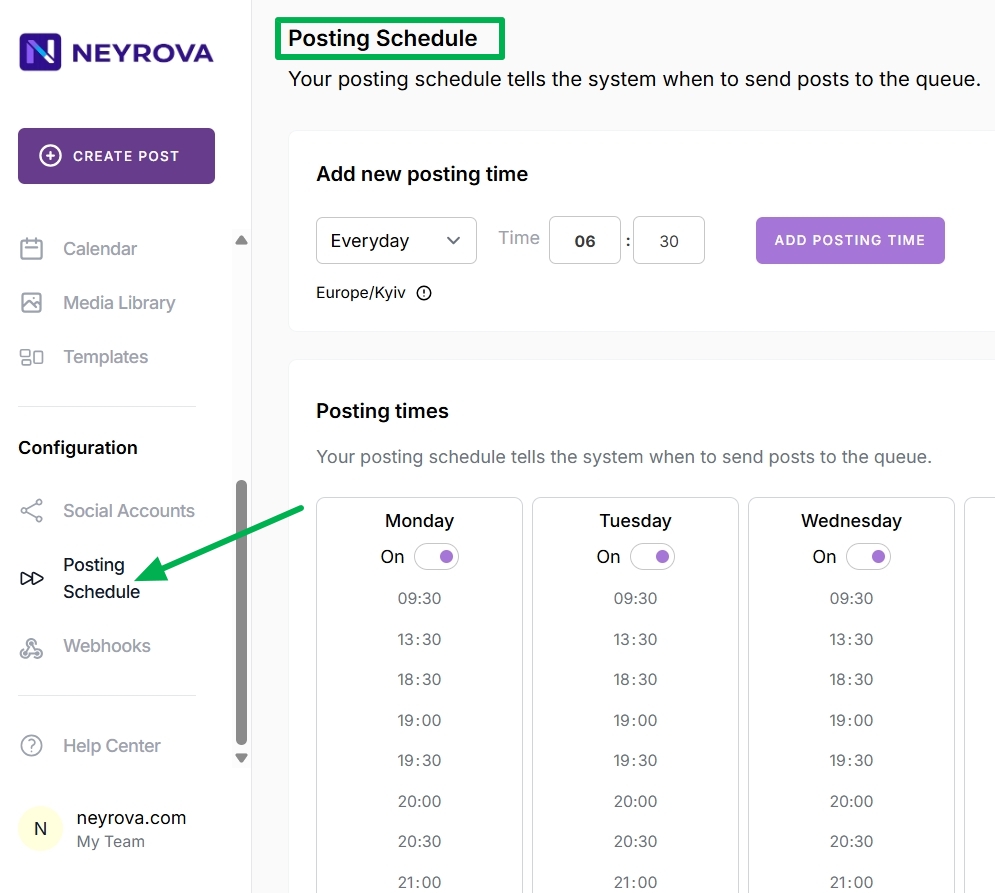
In the main menu, open the Posting Schedule section.
This is where the automatic publishing schedule for the queue is configured.
3. Add a New Publishing Time
In the Posting Schedule section, select the day of the week when queued posts should be published. You can choose all days by clicking Everyday or select individual days such as Monday, Wednesday, or Saturday.
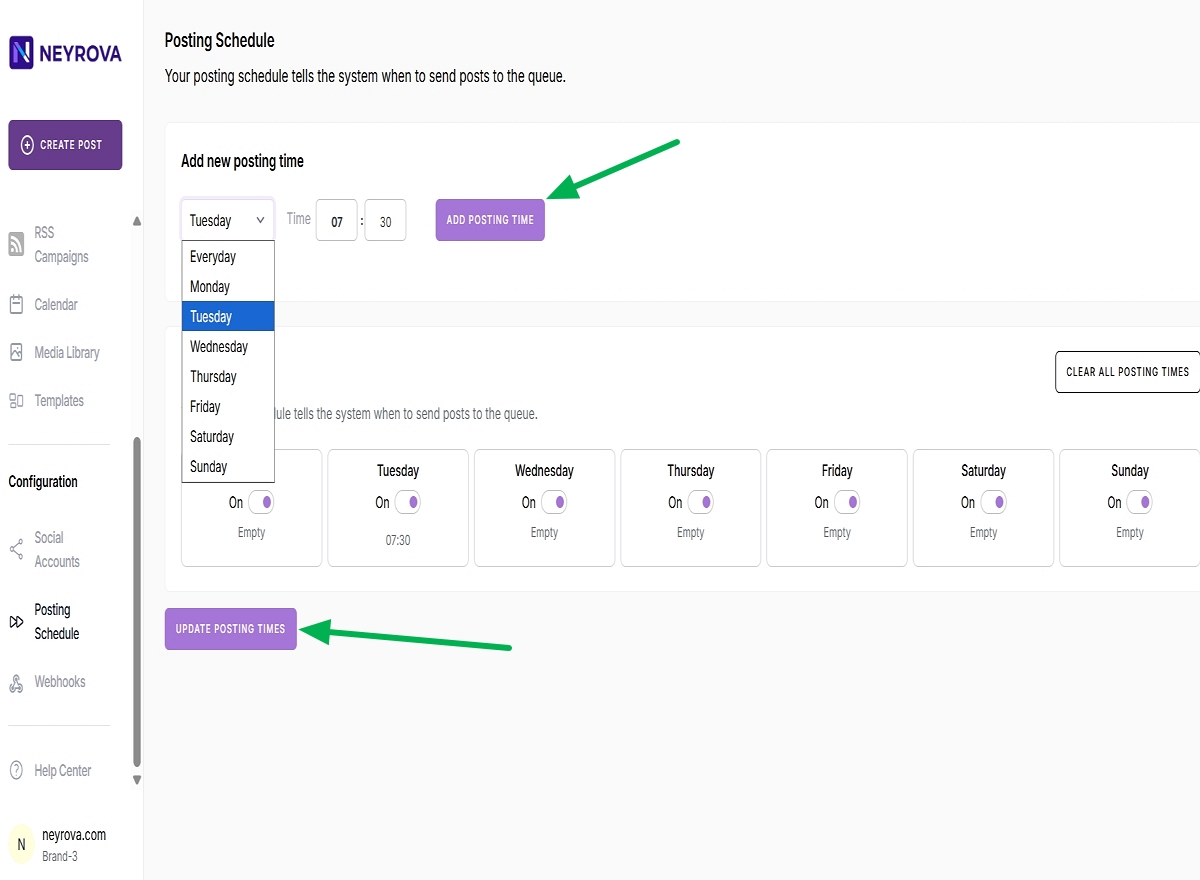
After selecting a day, set the exact time when the post should be published automatically.
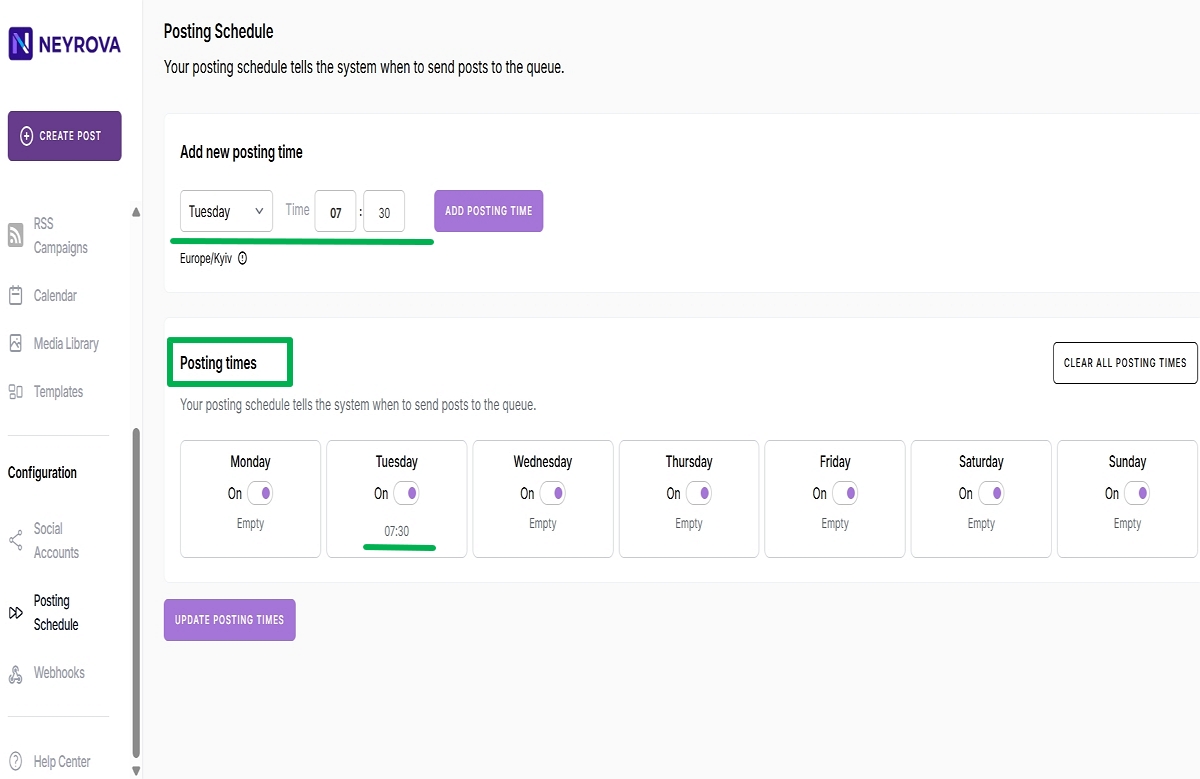
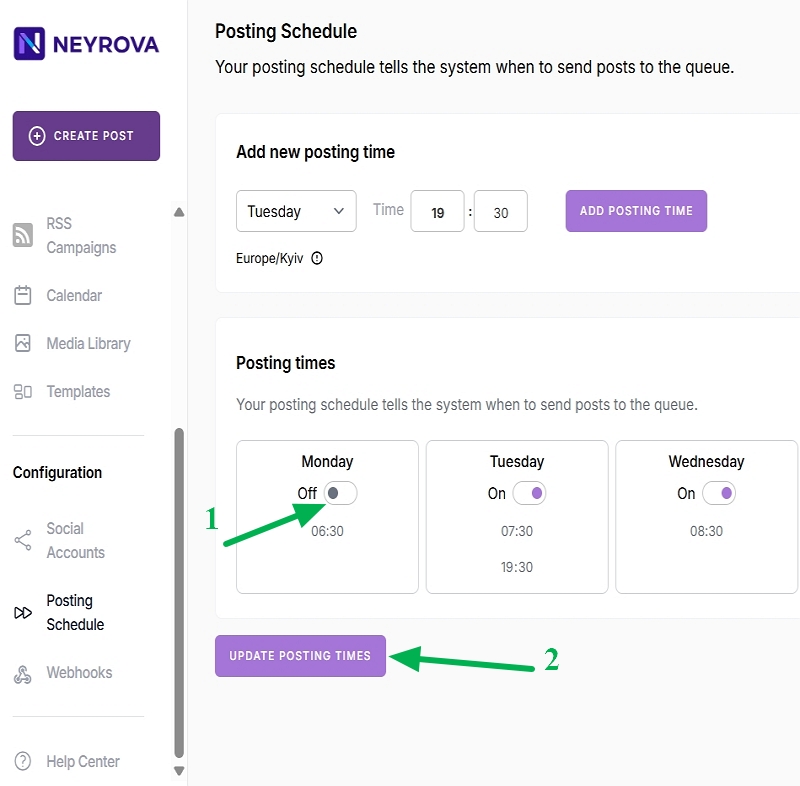
For example, you can select Tuesday, set the desired time, and click Add Posting Time.
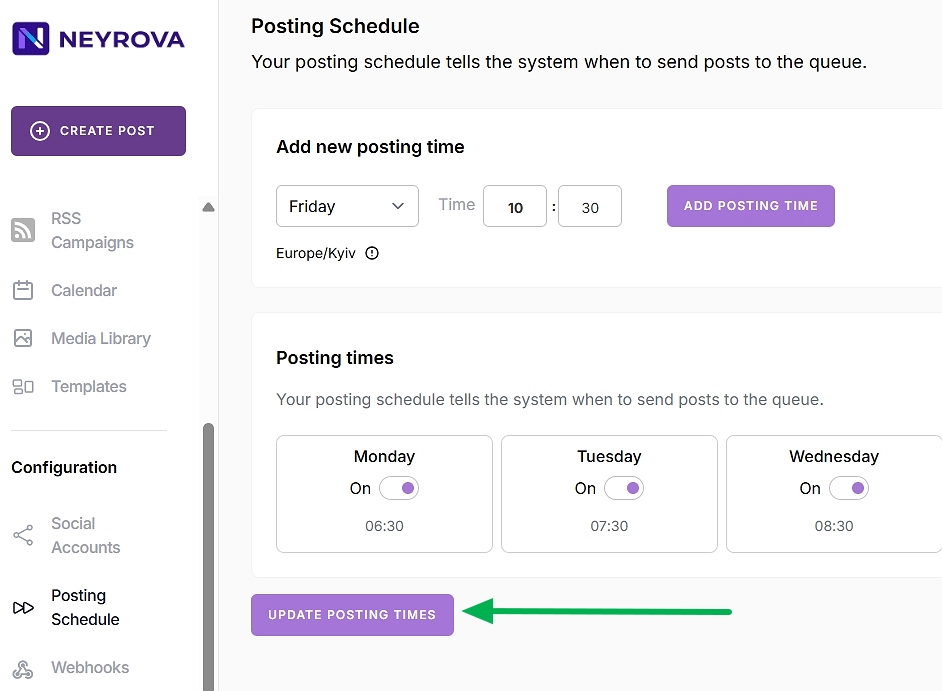
After adding the time, click Update Posting Times to save your settings.
Once saved, all added times will appear in the Posting Time section.
4. Add Times for Other Days
Repeat the same steps for any other days when you want content to be published.
For example, you can add separate time slots for Wednesday and Saturday. Multiple publishing times can be configured for each day if you need to publish more than one post.
After configuring each day and time, remember to click both Add Posting Time and Update Posting Times to save your changes.
Note: New publishing times are saved only after clicking Update Posting Times. If you skip this step, the added times will not be applied.
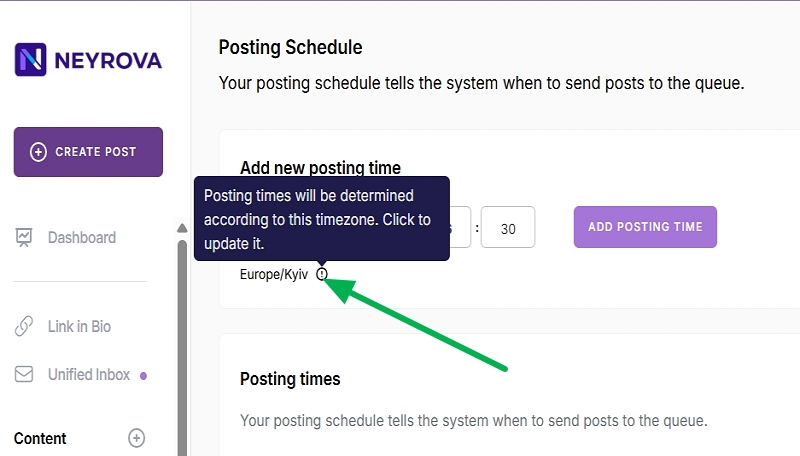
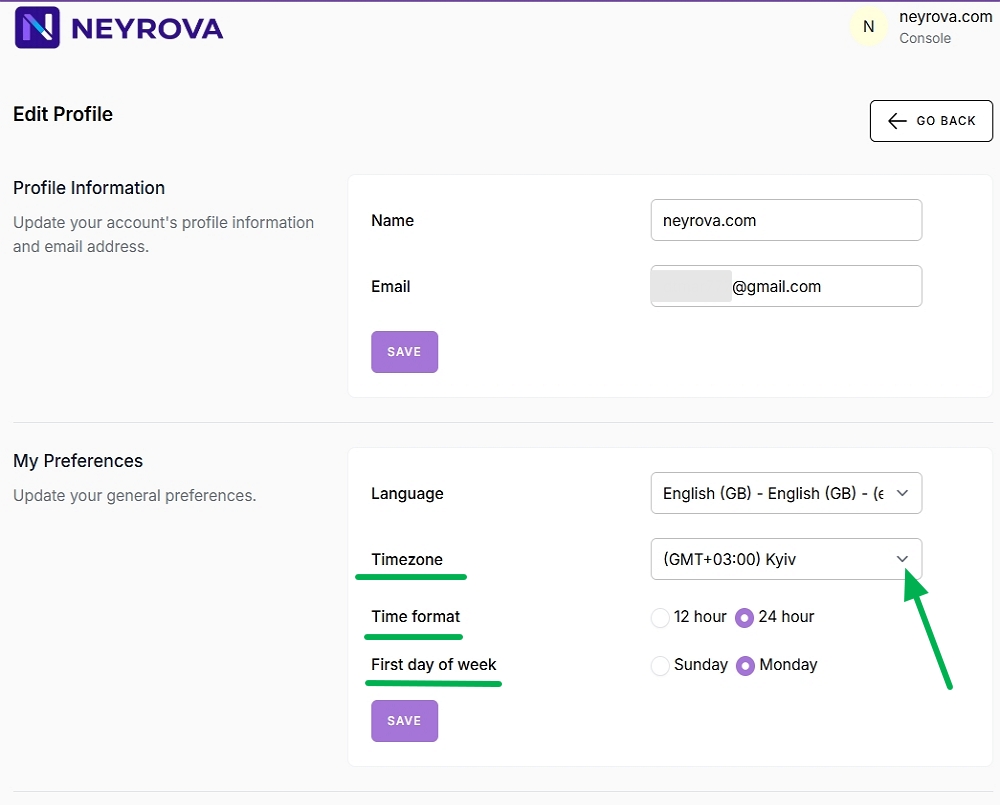
5. Configure Time Zone and Time Format
Select the time zone that should be used for your publications.
You can also choose a 12-hour or 24-hour time format and specify whether Sunday or Monday should be considered the first day of the week.
6. Review Your Publishing Times
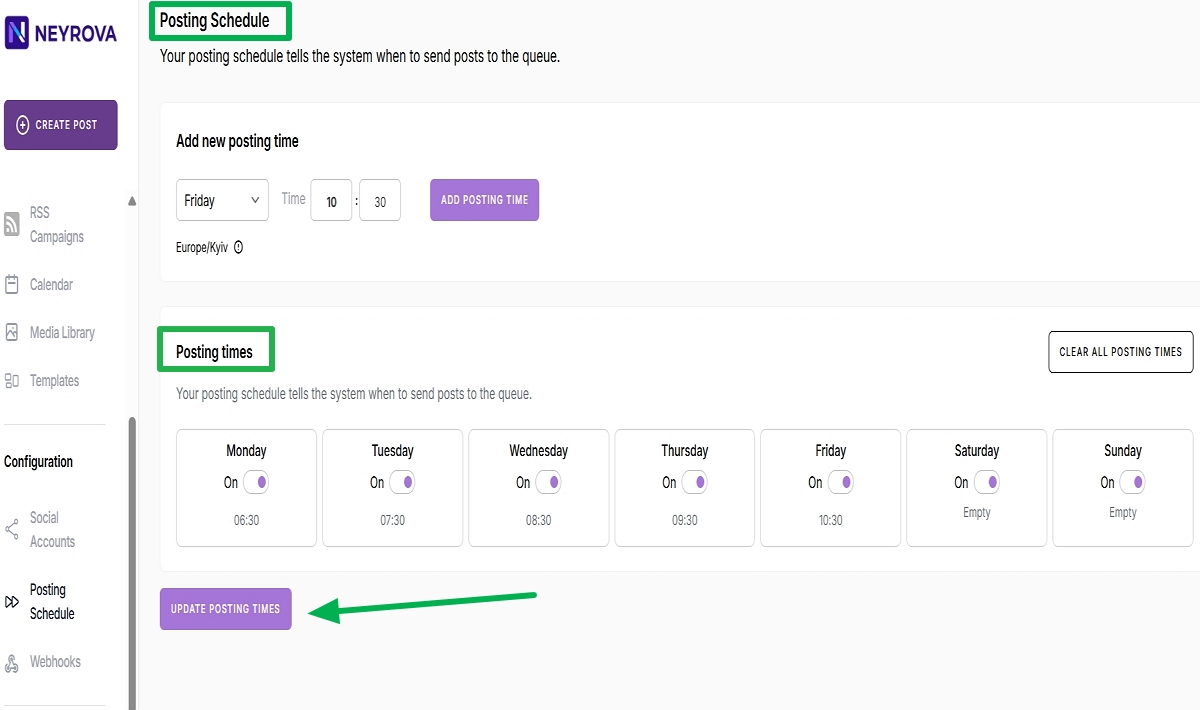
In the Posting Time section, review all configured publishing slots.
For example, your schedule might look like this:
- Monday — 06:30;
- Tuesday — 07:30;
- Wednesday — 08:30;
- Thursday — 09:30;
- Friday — 10:30.
If you add or modify times, remember to click Update Posting Times again.
7. Remove or Disable Unnecessary Times
If needed, you can remove a specific publishing time or disable an entire day.
If you remove a particular time slot, posts will no longer be published at that time.
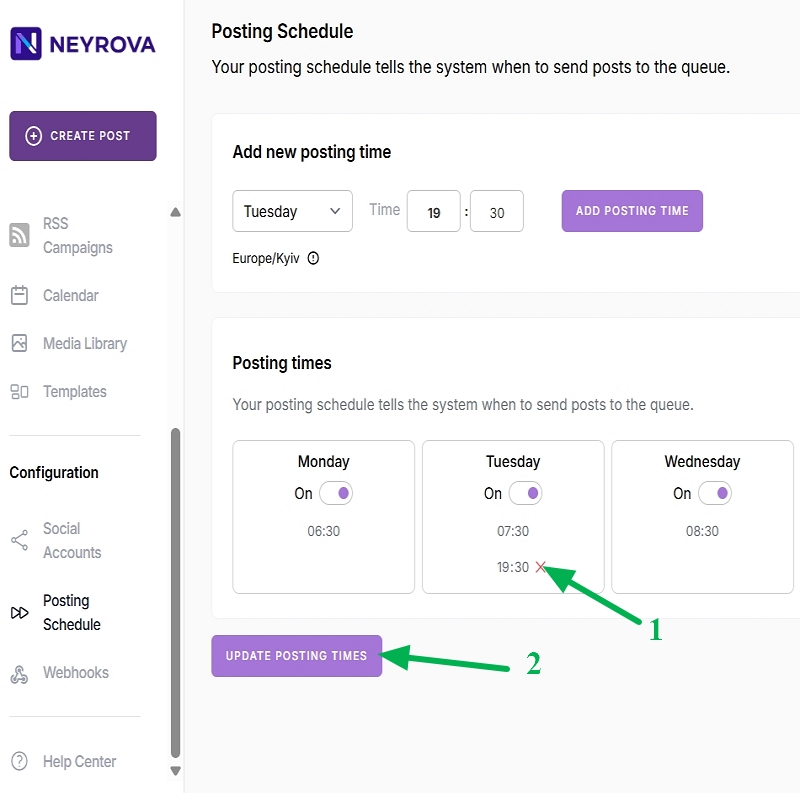
If you disable an entire day, all publishing times for that day will be removed from the schedule.
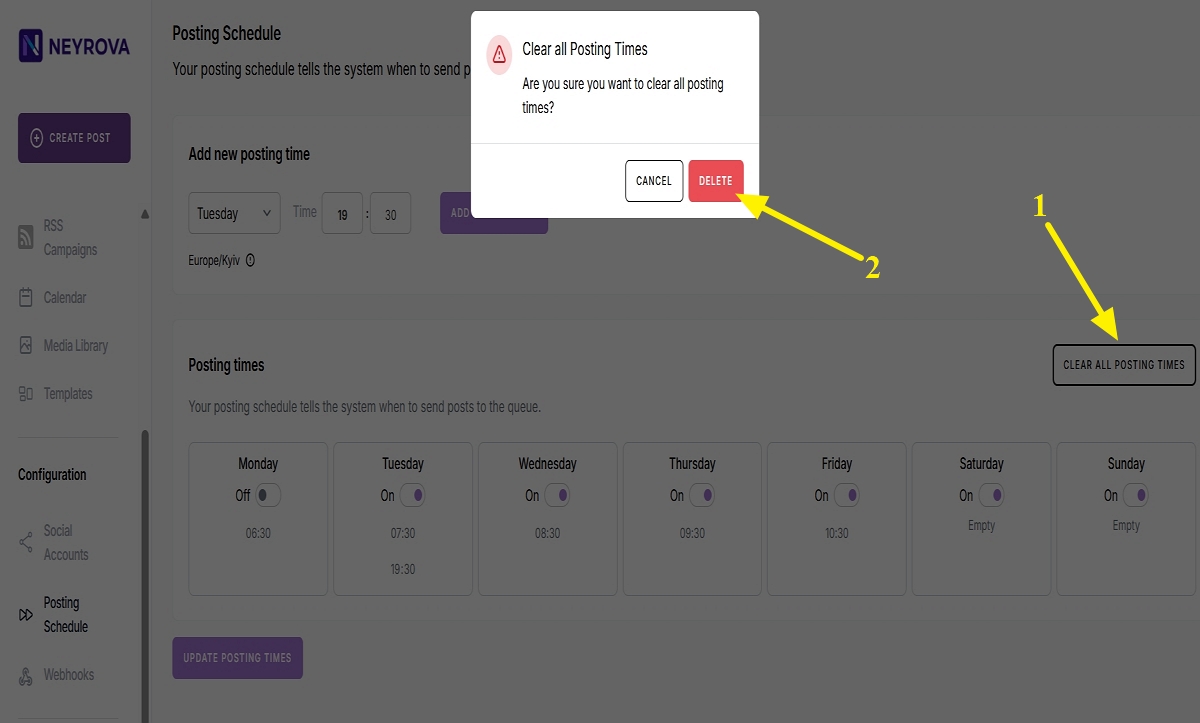
8. Clear the Schedule if Necessary
If your current schedule no longer fits your needs, you can clear the existing time slots and create a new publishing schedule.
After making changes, save the new schedule.
9. Add a Post to the Queue
After configuring the schedule, create a new post or duplicate an existing one, then select the social network where it should be published.
Add the post to the queue by clicking Add to QUEUE. Neyrova will automatically assign it the next available date and time according to your schedule.
10. Review Automatic Post Distribution
Neyrova automatically distributes posts across available publishing slots.
For example, if Monday, Wednesday, and Saturday are configured but Monday is disabled, the system will skip Monday and schedule posts for the next available day, Wednesday. If Wednesday has two available time slots, the first two posts will be assigned there, while the next post will be scheduled for the nearest available slot on Saturday.
11. Continue Adding Posts to the Queue
Once your schedule is configured, you can continue adding new posts regularly.
Neyrova will automatically publish them according to the selected days, times, and time zone.
Summary
The publishing queue in Neyrova allows you to configure a content publishing schedule in advance and automatically distribute posts across available time slots.
You can add days and times, change the time zone, disable unnecessary slots, and add posts to the queue for consistent publishing without manually scheduling each post.