



How to Add the First Comment to Your Post
The First Comment feature is an effective way to increase audience engagement. It is available for Facebook, Instagram, and LinkedIn and is easy to use.
Let’s get started.
First, create your main post — this is the content your audience will see before the first comment.
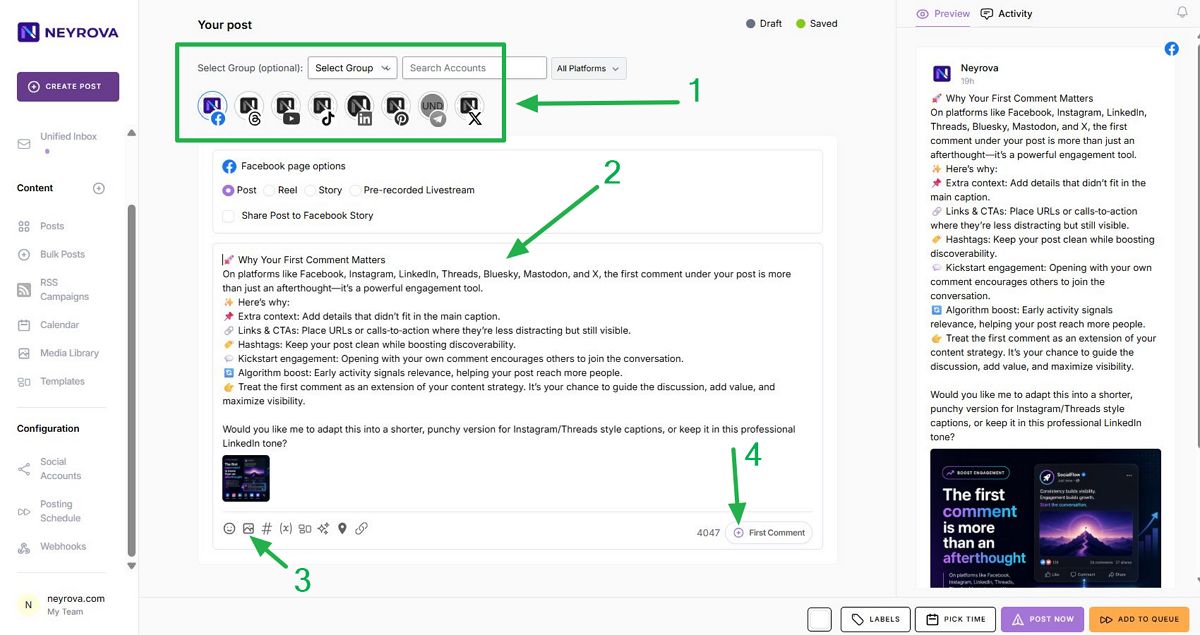
Write your text, add an image or video, and prepare the post for publishing.
Next, select the platform where you want to publish the post. The First Comment feature works with Facebook, Instagram, LinkedIn, Threads, and Bluesky.
For X (Twitter) and Mastodon, a similar feature is available through threads. Follow the link in the video description to learn how to create multi-post threads in Neyrova.
Once your post is ready, find the plus button below it and click it to create the first comment.
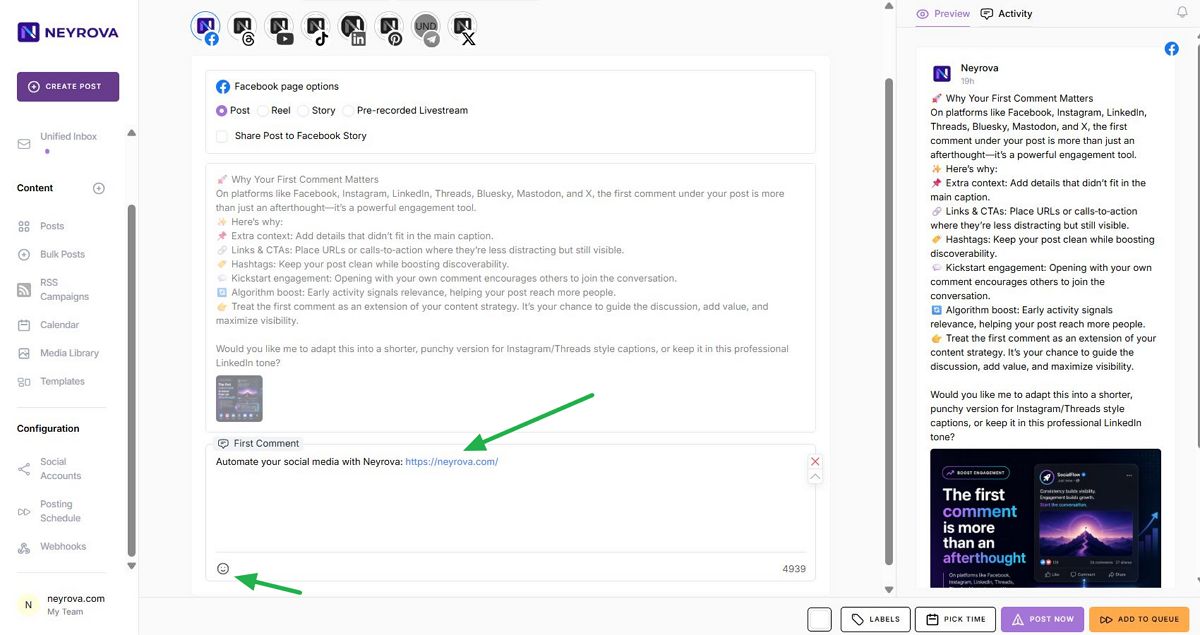
In the First Comment field, enter the text that should be published immediately after the main post.
For example, you can add a link, additional information, a call to action, or any other content that you do not want to include in the main body of the post.
When finished, click the publish or schedule button for the post.
Summary
The First Comment feature helps increase audience engagement and makes your publications more structured.
It is especially useful for sharing links, additional information, and calls to action without overcrowding the main post content.