



This guide explains how to tag Instagram users in photos when creating a post in Neyrova.
Photo tags are useful for team publications, partnership posts, business collaborations, or content that involves multiple participants.
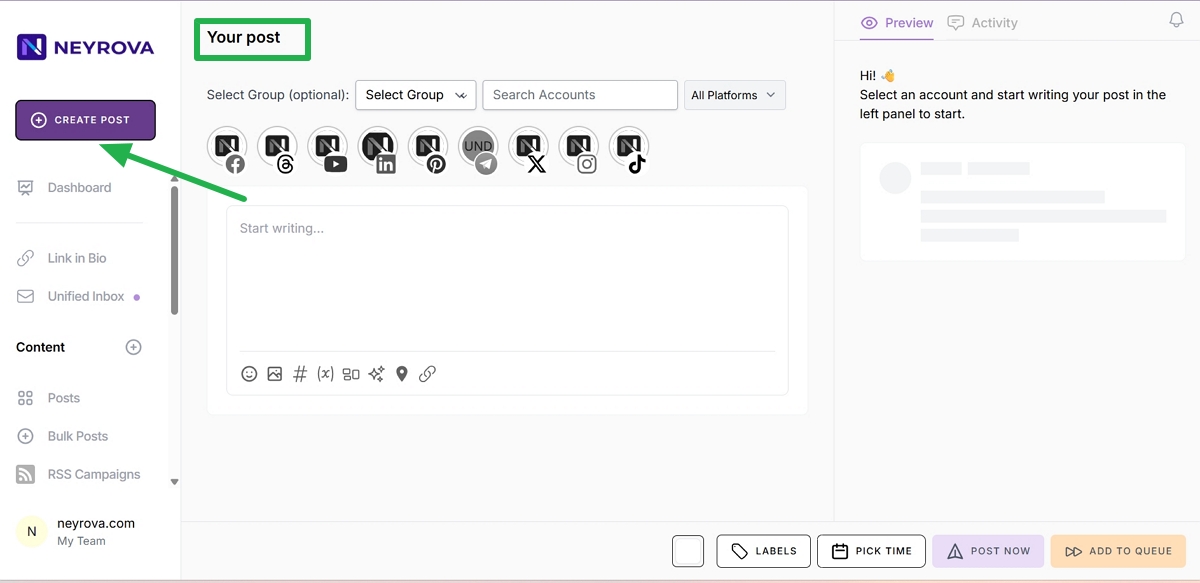
1. Open Create Post
In the Neyrova dashboard, go to Create Post.
This will open the editor for creating a new publication.
2. Enter the Post Text
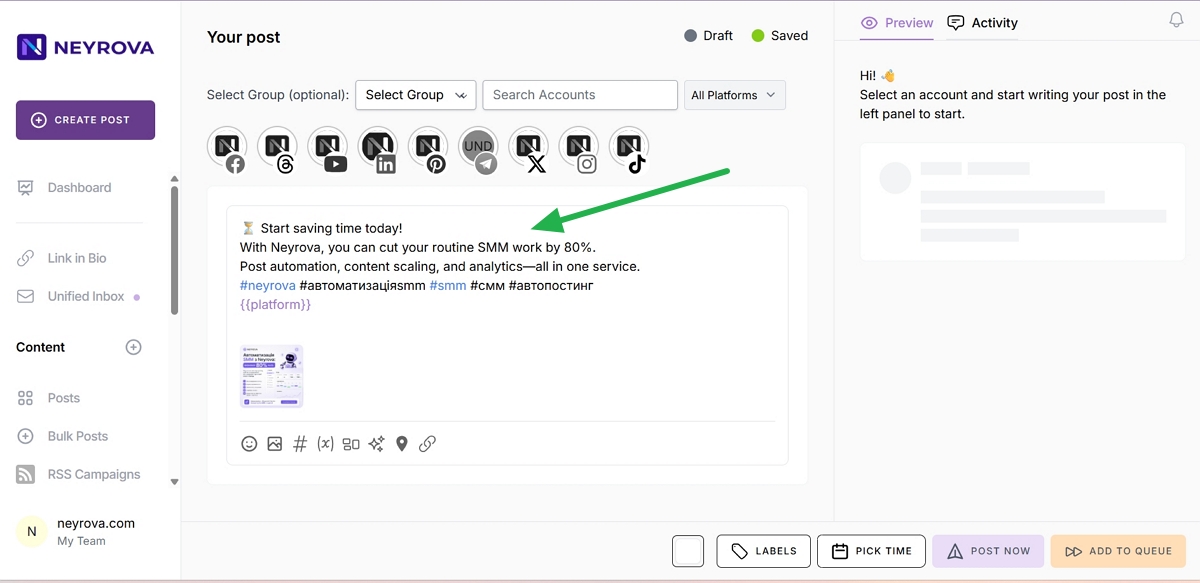
Write the content of your post.
Ideally, the text should match the image and provide context for the photo.
3. Upload a Photo
Add the photo you want to publish on Instagram.
This can be a team photo, a photo with partners, clients, friends, or any other visual content where user tagging is needed.
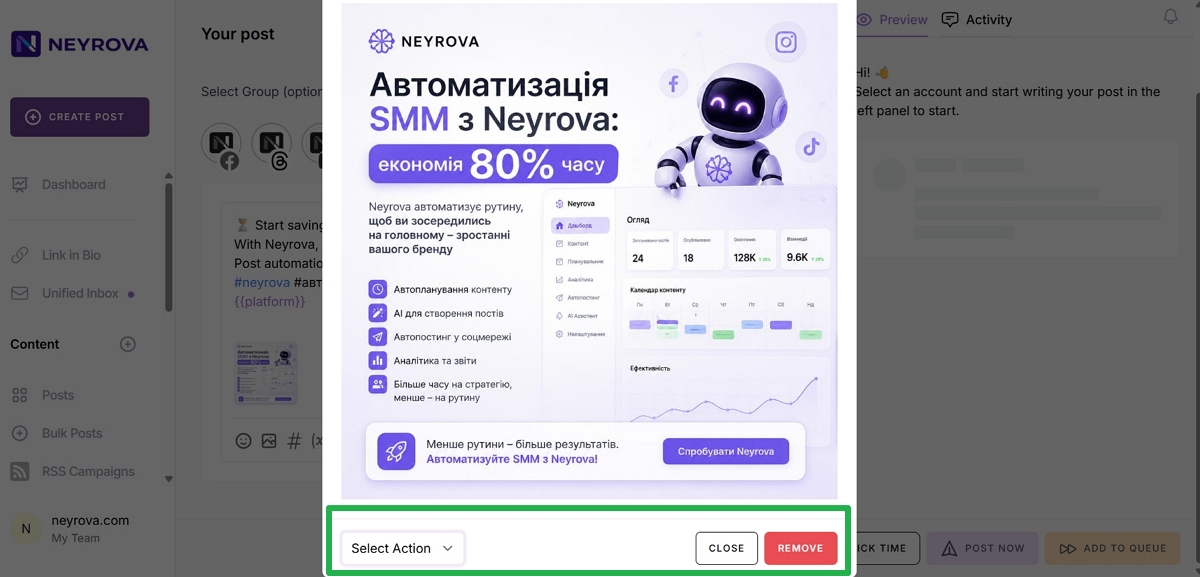
4. Click the Image
After adding the photo, click it in the post editor.
Additional settings will appear below the image.
5. Open Select Action
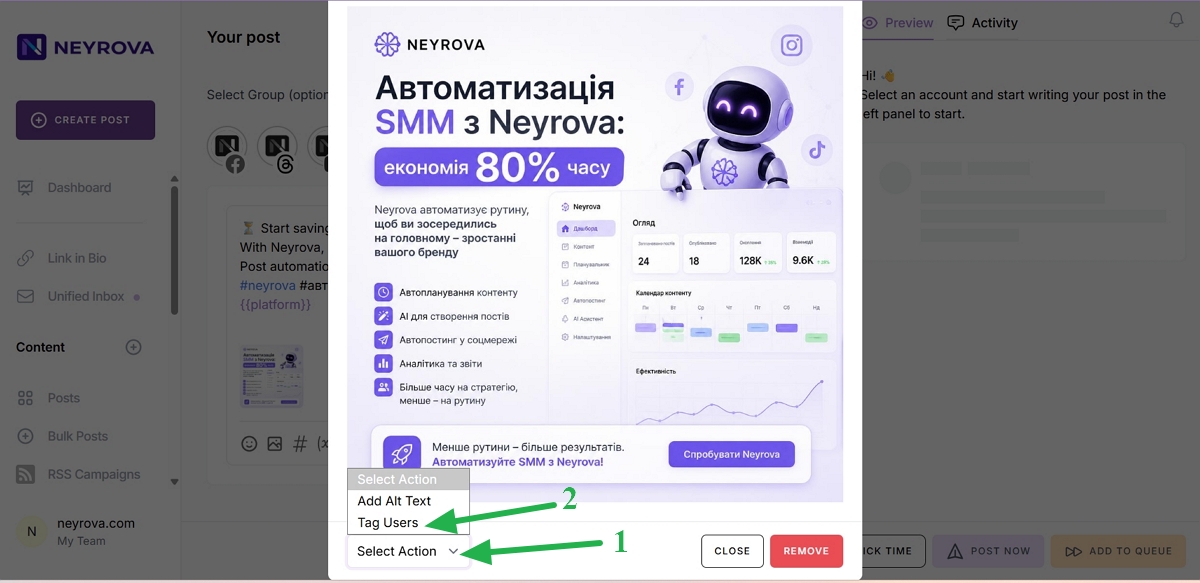
Below the photo, find and click the Select Action button.
This will open a list of available actions for the image.
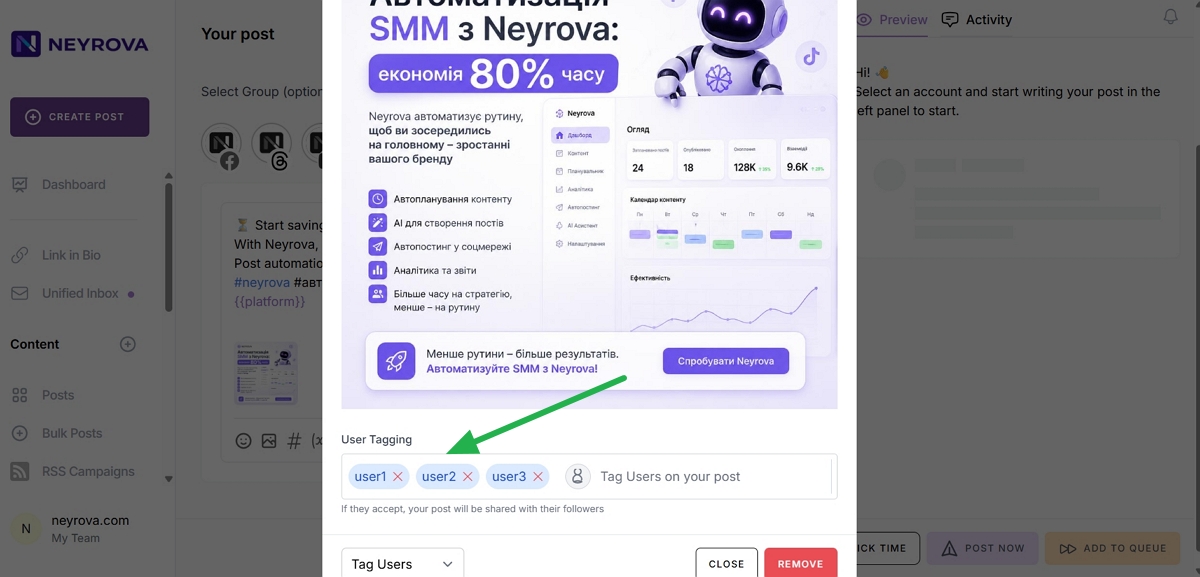
6. Select Tag Users
From the list of actions, select Tag Users.
This will open a field where you can add Instagram users to be tagged in the photo.
7. Enter Instagram Usernames
Enter the Instagram username of the person you want to tag.
To add multiple users, press Enter after each username or separate usernames with commas.
8. Review the Tagged Users List
Make sure all required users have been added correctly.
After that, click outside the image or close the window. The tags will be saved automatically.
9. Publish or Schedule the Post
After adding the tags, complete the post setup and select the desired Instagram profile.
You can publish the post immediately by clicking POST NOW.
Or schedule it for a specific date and time by clicking PICK TIME or ADD TO QUEUE.
Summary
In Neyrova, you can tag Instagram users directly while creating a post.
To do this, add a photo, open Select Action, choose Tag Users, enter the required Instagram accounts, and then publish or schedule the post.