



In this video, we show you how to invite clients to connect their profiles to Neyrova via a special link without sharing logins and passwords. This is also convenient for SMM specialists, freelancers, agencies, and teams that manage client social networks.
You can now invite clients to connect their social media profiles to your workspace without sharing their usernames and passwords. This is done using an invitation link.
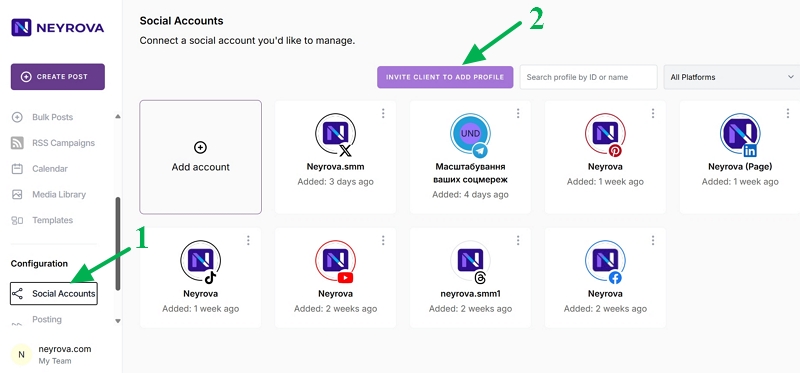
1. Open the Social Accounts Section
Open the Social Accounts section in your Neyrova workspace.
At the top of the page, click the Invite Client to Add Profile button.
2. Create a Client Invitation
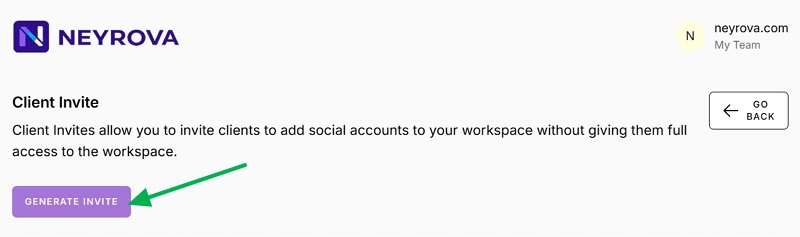
Click the Generate Invite button to create an invitation link.
The Client Invites feature allows you to invite clients to add their social media accounts to your workspace without giving them full access to it.
3. Configure the Invitation Settings
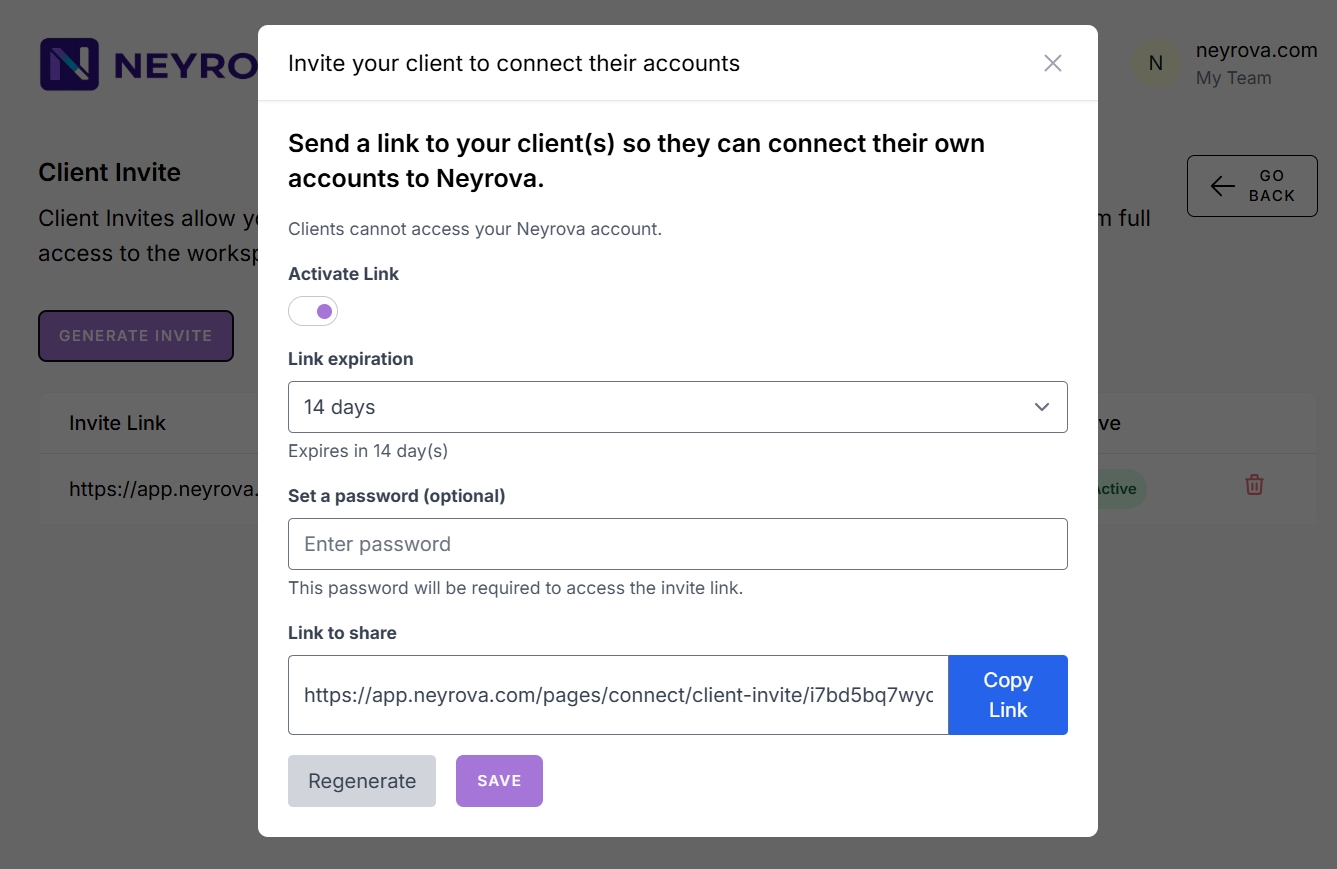
In the window that appears, configure the invitation settings.
- Specify whether the invitation link is active.
- Set the link expiration period (from 1 to 180 days).
- Create a password if you want to restrict access.
- Copy the link and click Save.
4. Send the Link to Your Client
You can now send the generated invitation link to your client.
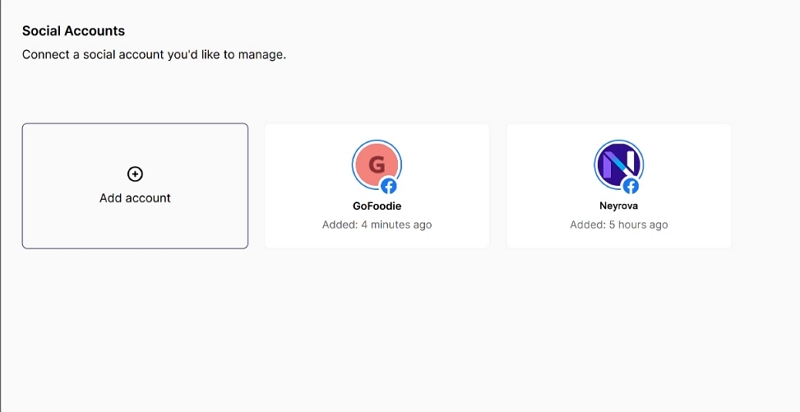
When the client opens the link, they will see the Add Account button and will be able to connect profiles from supported social media platforms.
Clients will only see the profiles that were added through this invitation link until it expires.
5. Verify the Added Profiles
Once the client connects their accounts, they will appear in your list of social media profiles.
Summary
Client invitation links provide a secure way to connect client-owned social media profiles to your workspace without requiring them to share their login credentials.
You can control the invitation expiration period, protect access with a password, and allow clients to independently connect their accounts to Neyrova.