



In this guide, we’ll show you how to setup RSS campaigns on Neyrova. This lets you automatically publish publish content from your website to your various social media platforms.
Set up an RSS campaign to automatically publish content to your social media accounts using Neyrova.
-
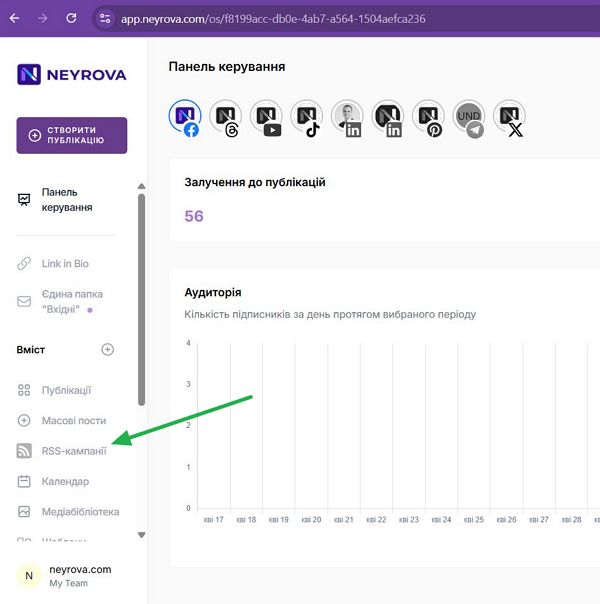
In the main menu, click RSS Campaigns.
-
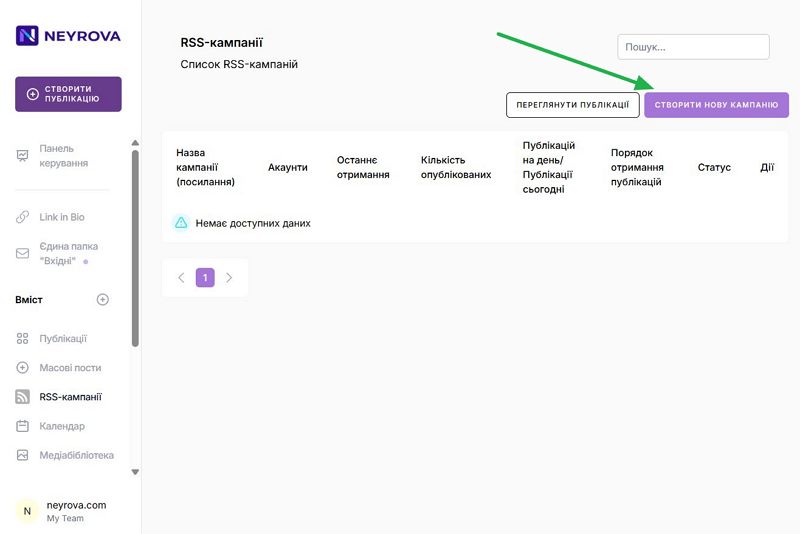
Then click Create New Campaign.
-
Enter the RSS feed URL. This should be the RSS feed address from which you want to retrieve content. It is usually formatted as yourdomain.com/rss or yourdomain.com/feed.
After adding the URL, the Campaign Name field will appear. Enter a meaningful name and select the Number of Posts and Posts Fetch Order.
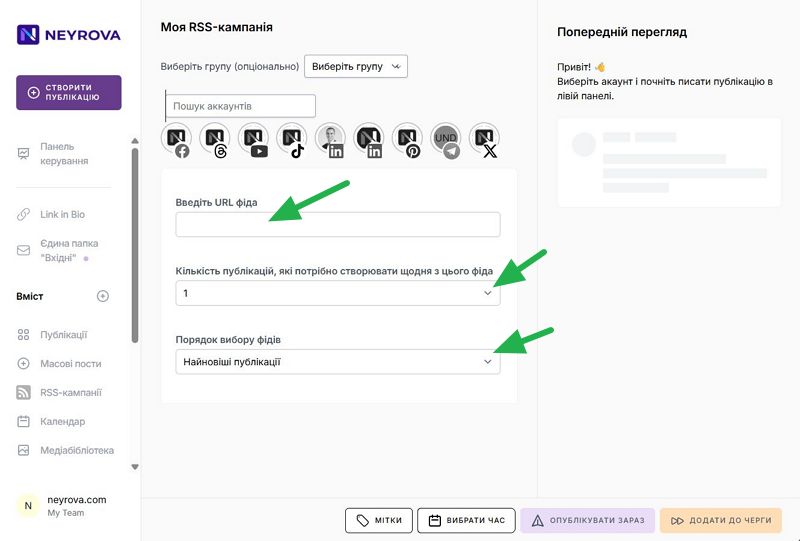
Depending on the selected feed retrieval order, 10 articles will be loaded. The retrieval order determines the sequence in which RSS items are selected for publishing.
Available options: Most Recent Posts and All Posts.
-
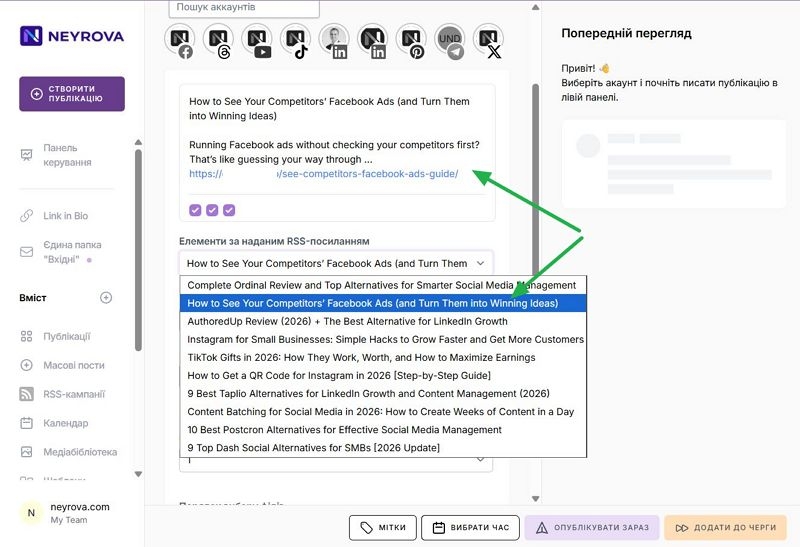
Select a post, and it will be added to the scheduled publication section to give it priority.
-
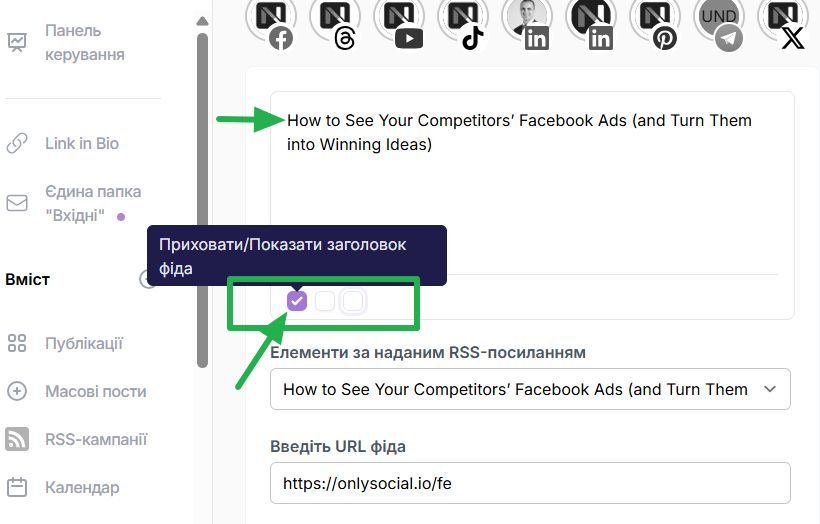
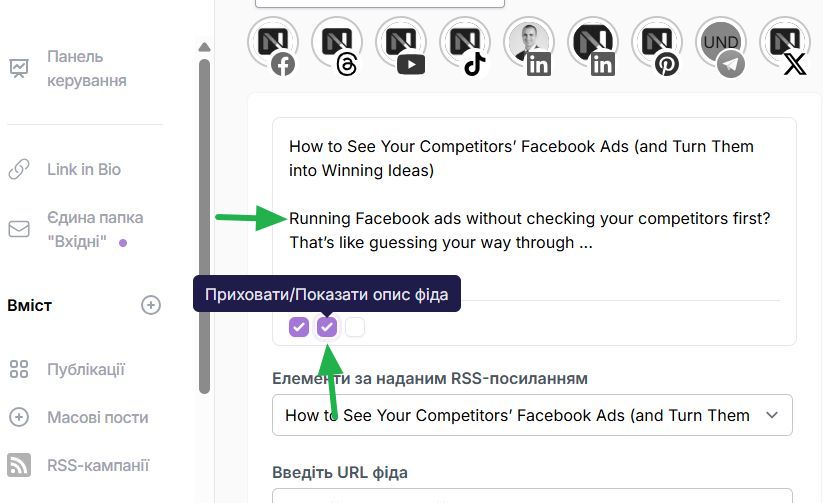
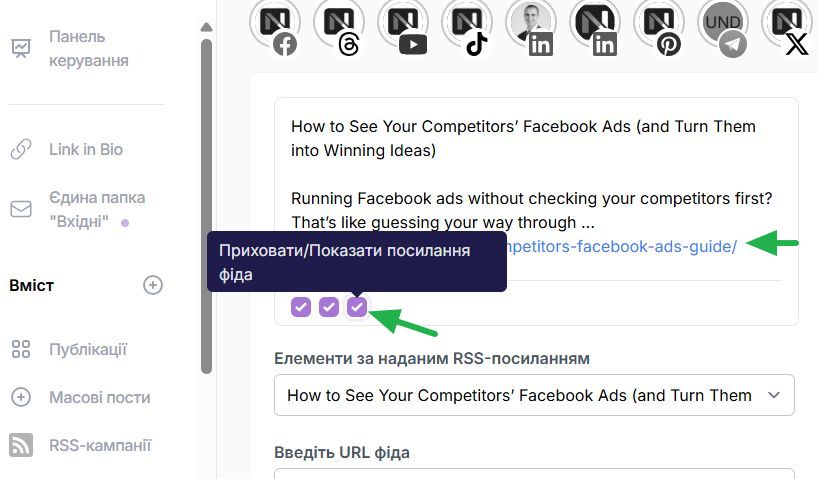
Choose how your posts will appear on social media. Available options include displaying only the article title, a short description, and the article link.
The first option determines whether the title of each RSS item will be displayed in your posts.
The second option determines whether the description of each RSS item will be included. This is usually a short summary of the article.
The third option determines whether a link to the original RSS article will be displayed.
-
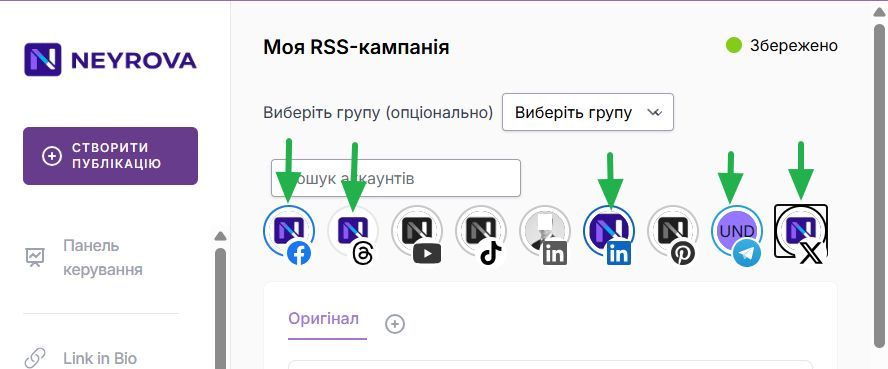
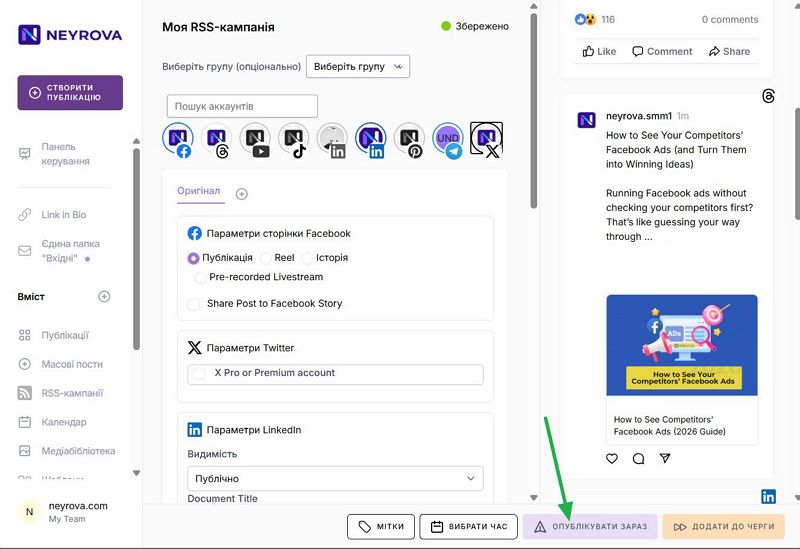
Next, select the social media accounts where you want content from this RSS feed to be published.
-
Now publish the campaign.
-
The schedule is now configured, and you can monitor the publication history to ensure everything is working correctly.
To view RSS publications, click the View Posts button where you can review published content and check for any publication errors.