If you’re using Neyrova’s chatbot for the first time for your Instagram account, there’s a possibility that your Instagram Chatbot won’t work or you’ll come across the error;
(#200) The account owner has disabled access to Instagram direct messages
This means you’ve not enabled the Direct Message option for Connected Apps.
Here’s a video guide on how to fix this error:
How to enable Instagram Direct Message Option
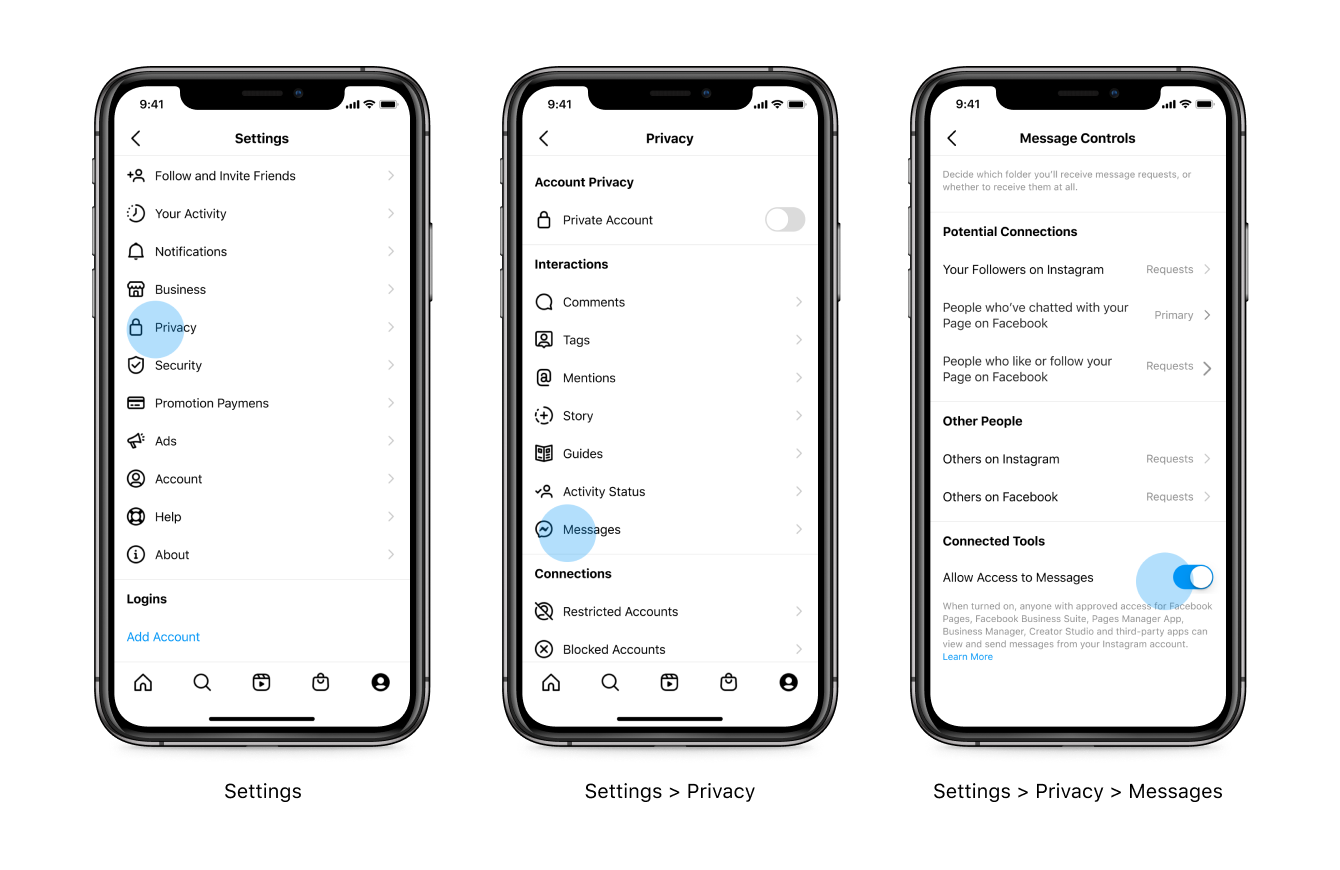
Click on your avatar in the bottom, right-hand corner, hit the three bars in the top-right corner, and select ‘Settings‘
Next, navigate to ‘Privacy‘ and select ‘Messages‘
Now, it’s time to ‘Allow Access to Messages‘