



This guide explains how to change your subscription plan, update your payment method, or cancel your subscription in your Neyrova account.
Neyrova uses a prorated billing system. This means that when you change your subscription plan, the system automatically takes your previously paid amount into account, and you only pay the difference between plans.
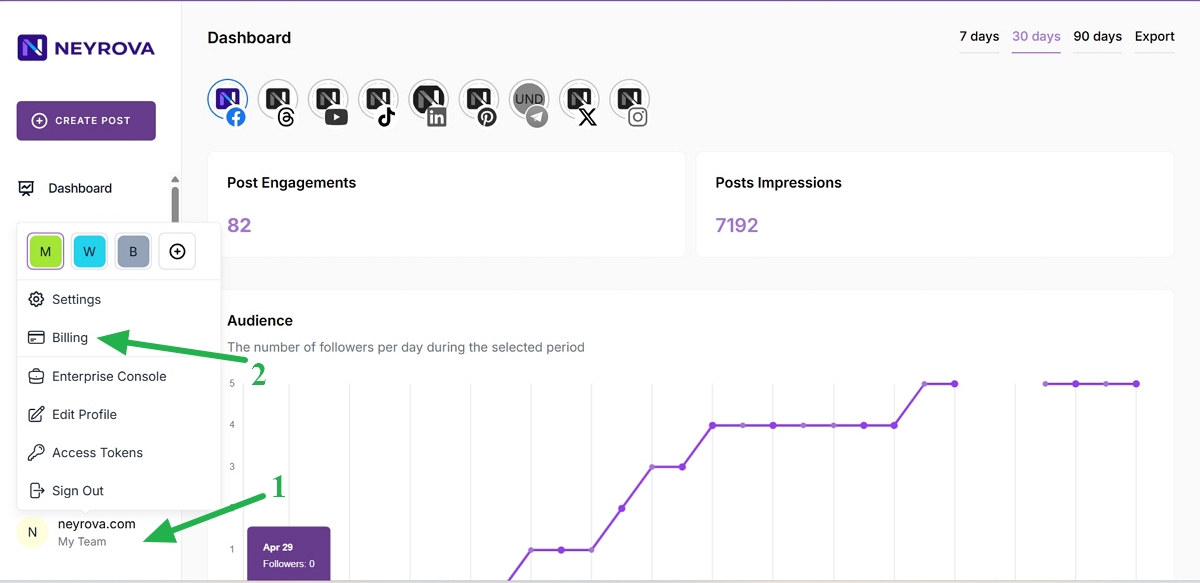
1. Open the user menu
In the lower-left corner of the Neyrova dashboard, click your name or profile icon.
This will open the user menu.
2. Go to Billing
In the user menu, click Billing.
This will open the subscription management page.
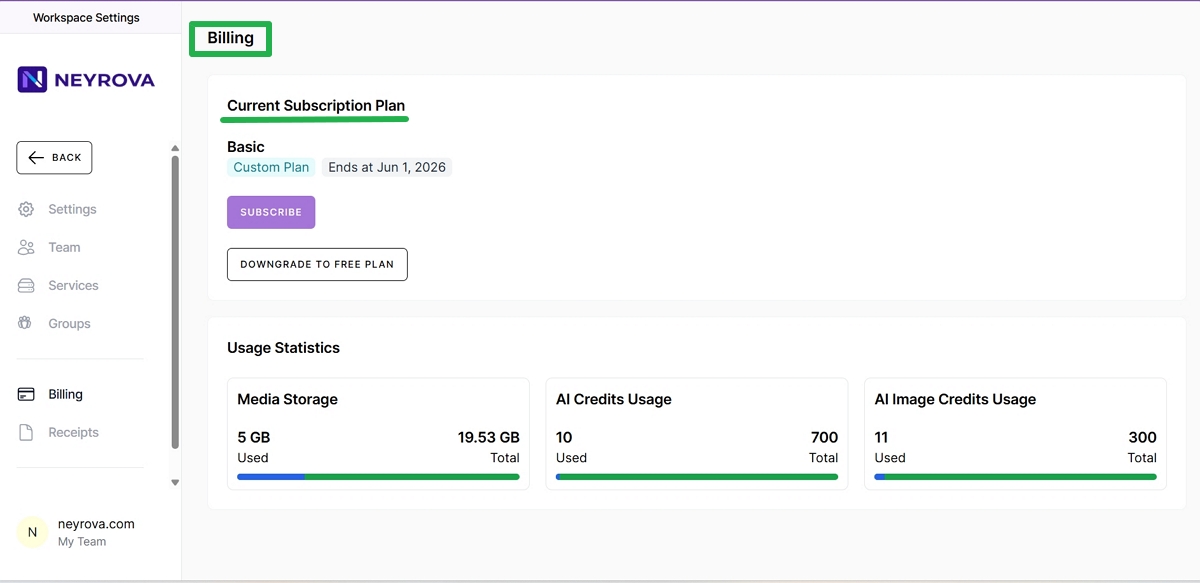
3. Review your subscription information
On the Billing page, you will see the main information about your account and subscription:
- current subscription plan;
- subscription status;
- available account management actions.
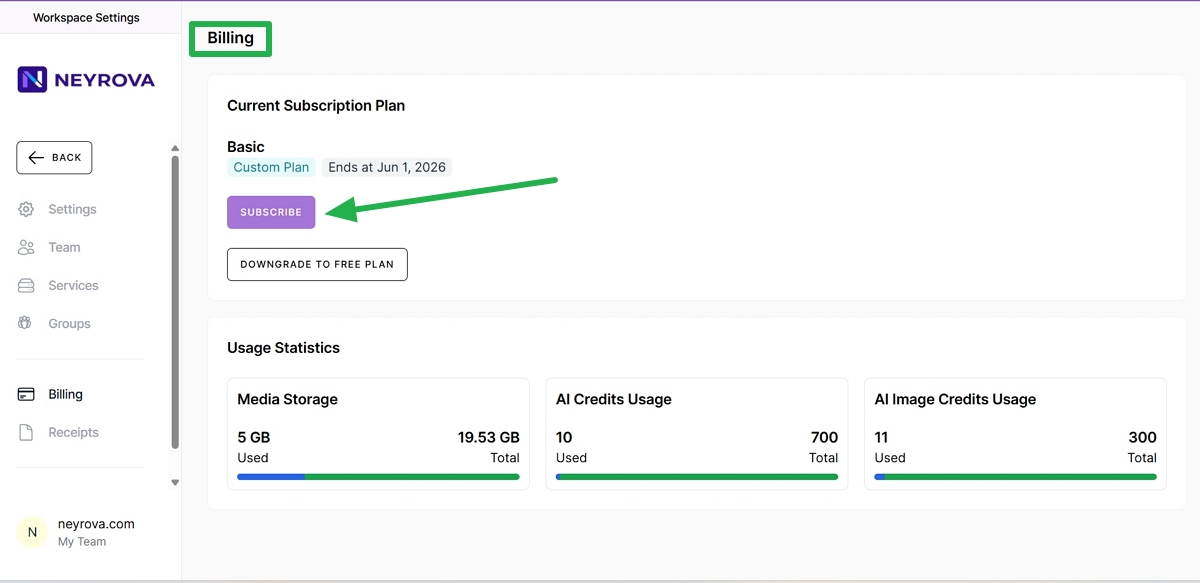
4. Change your subscription plan
To switch to a different plan, click Subscribe.
Next, choose the desired subscription plan from the list of available options. You can select either a yearly or monthly subscription.
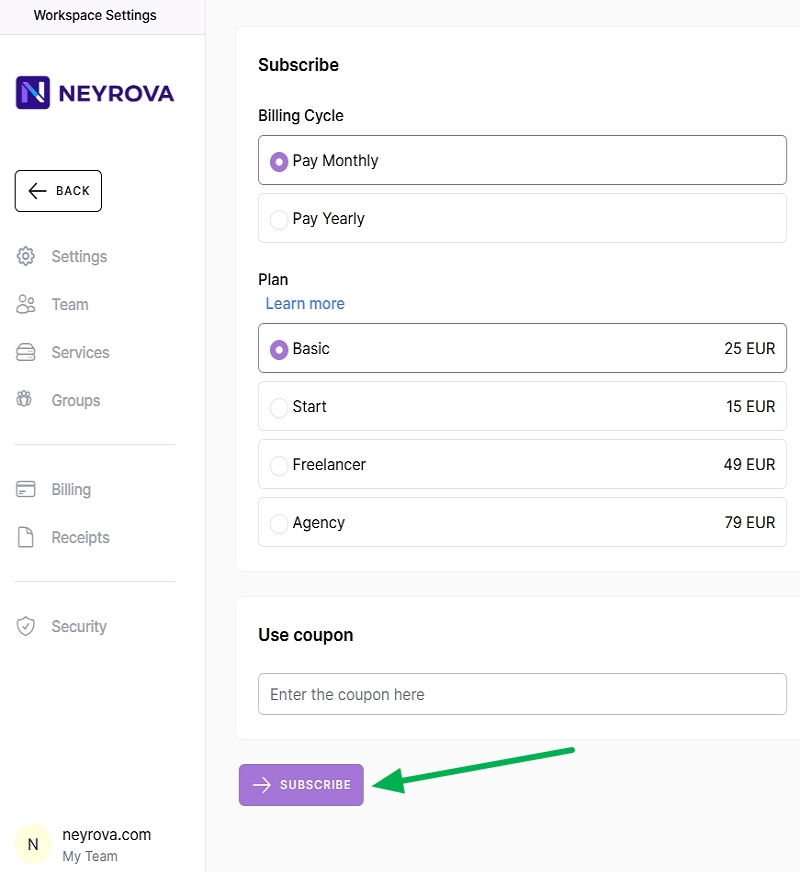
5. Check the price recalculation
After selecting a new plan, the system automatically recalculates the cost based on the amount you have already paid.
If you upgrade to a higher plan, you will only need to pay the difference. If you downgrade to a lower plan, the system will also recalculate your subscription according to the new terms.
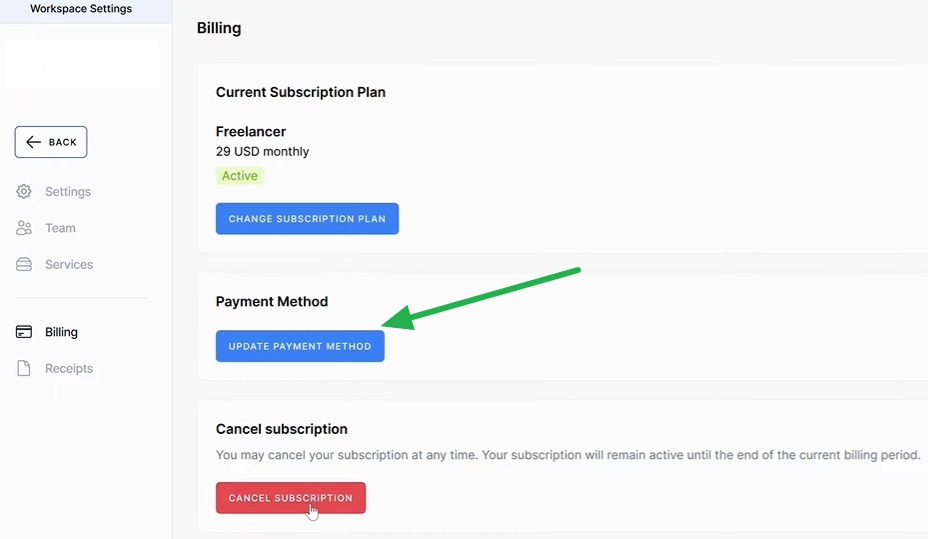
6. Update your payment method if needed
To change your payment card or another payment method, click Update Payment Method.
Then enter your new payment details and save the changes.
7. Cancel your subscription if needed
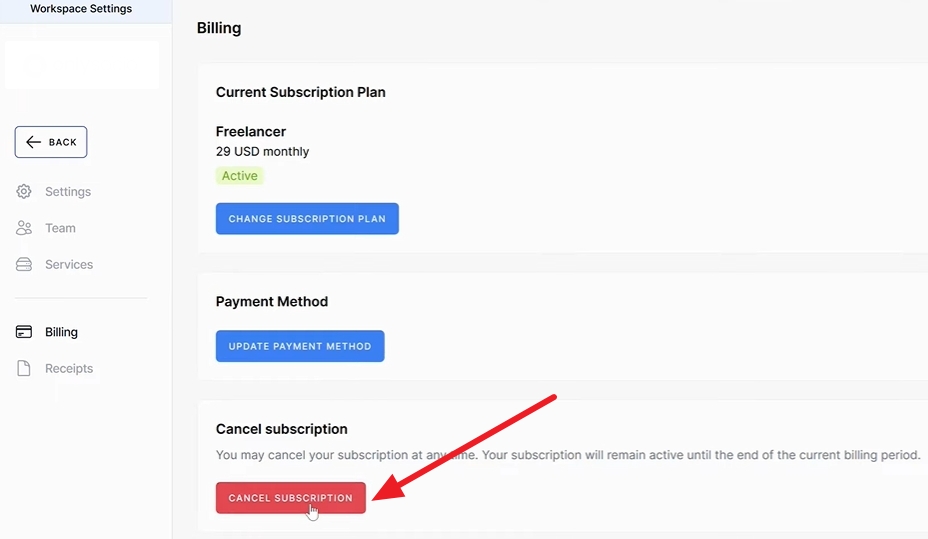
To cancel your subscription, scroll down to the Cancel Subscription section.
Click the Cancel Subscription button and confirm the action if the system requests confirmation.
8. Check your account status after cancellation
After cancellation, the subscription will be automatically stopped.
Your account will remain active until the end of the already paid billing period.
Summary
In Neyrova, you can independently change your subscription plan, update your payment method, or cancel your subscription directly from your account.
The prorated billing system automatically takes your previously paid amount into account when changing plans, making subscription management simple, transparent, and easy to control.