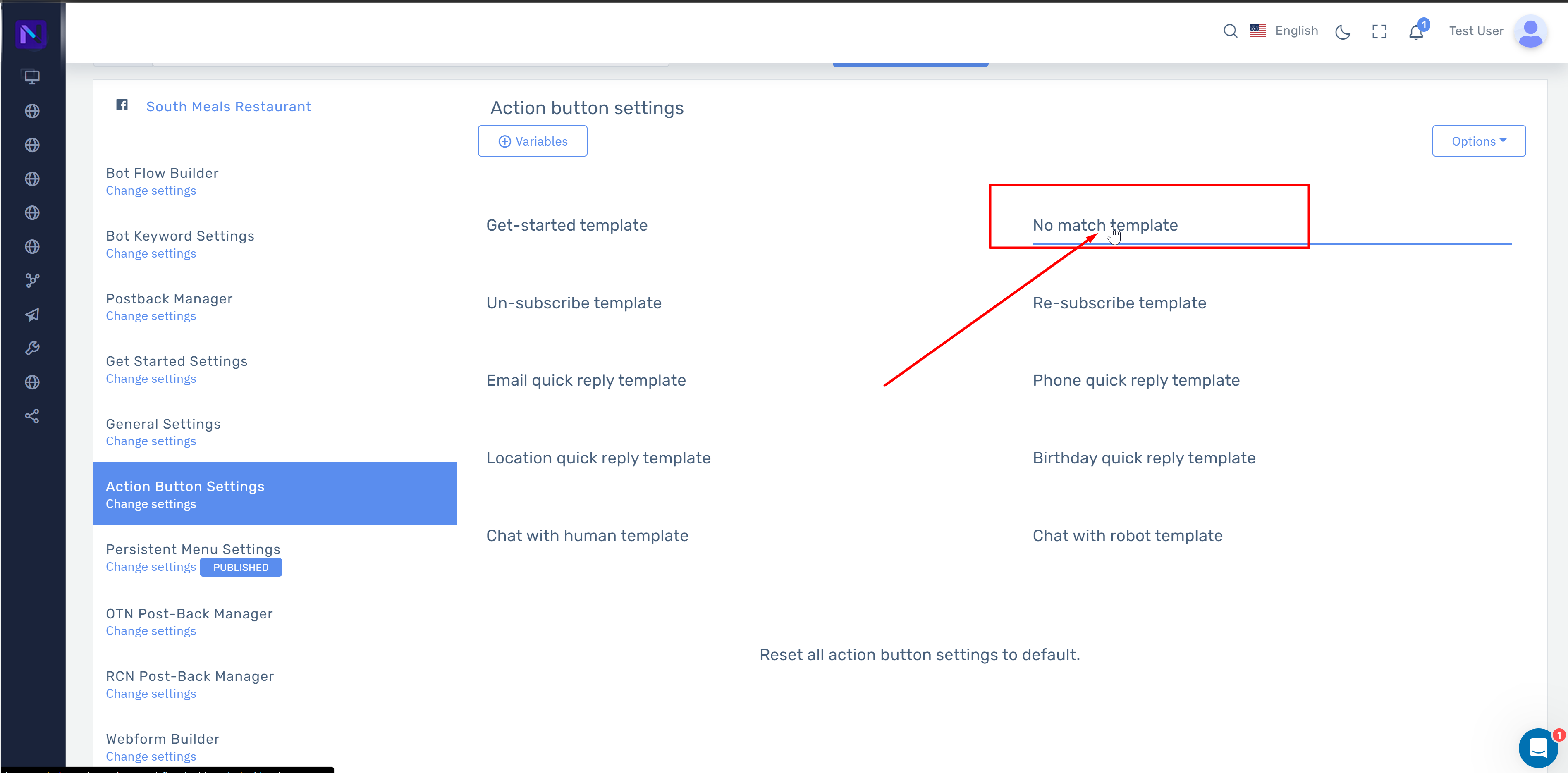
In this guide, we’ll show you how to activate the ” No Match Template “, this will enable you to set a default message or flow when a customer asks any question that isn’t present in your bot keywords or flow. You can also enable a trained AI (ChatGPT) to pick up such chat when there are no set keywords for a customer’s query.
To activate the No Match Template. Follow the below steps:
-
From the Salesbot Main Menu, go to Bot Manager > General Settings
-
Then toggle the ” Reply if no match found ” button
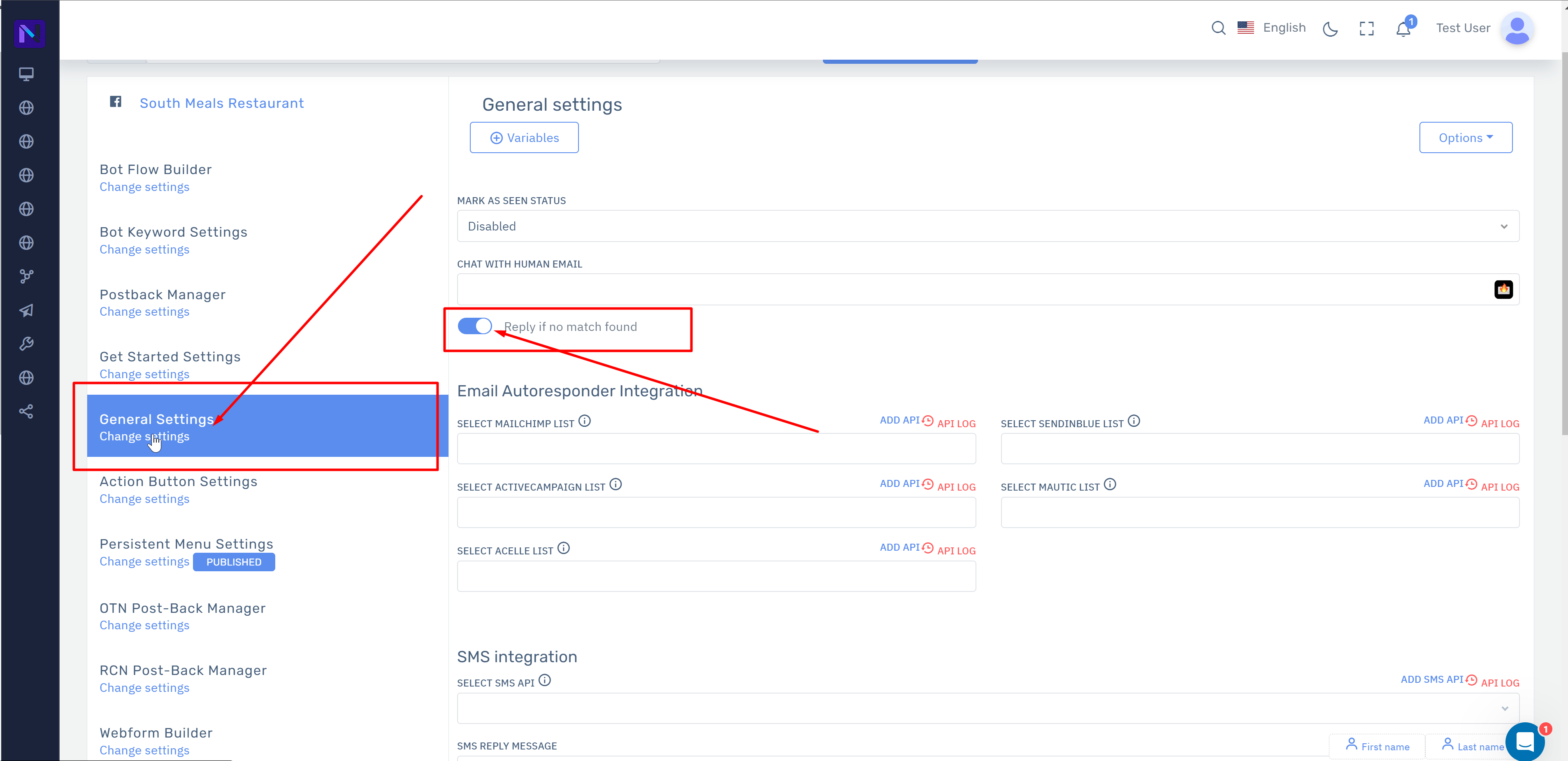
Now you’ve enabled the No Match Template.
You can now go to Bot Manager > Action Button Settings > No Match Template to configure the template with your message or chat flow.