



Neyrova makes it easy to organize your social media profiles by brand or category. Follow the steps below to create and manage profile groups.
How to Group Profiles
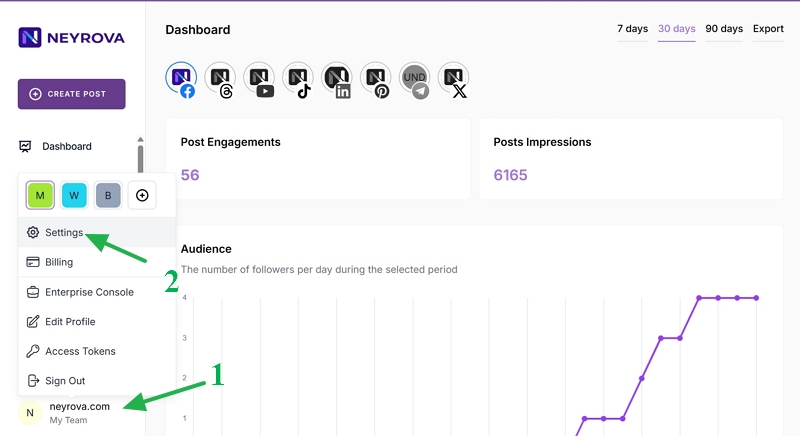
1. Sign in to your Neyrova account and click Settings.
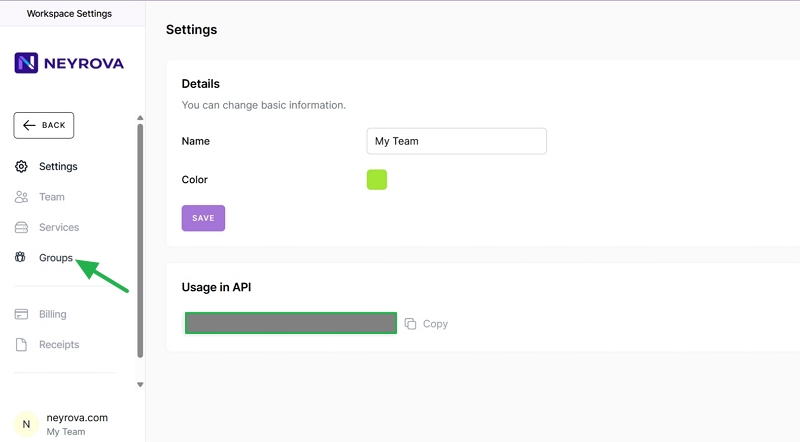
2. Click Groups in the left-side menu.
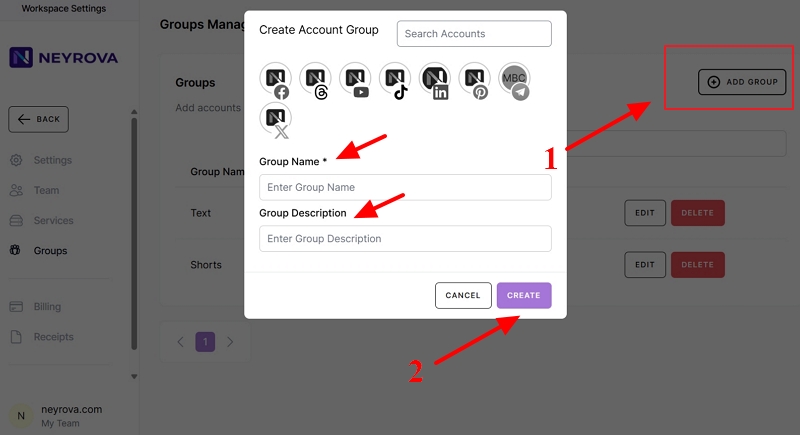
3. Click Add Group, enter a group name and description, then select the profiles you want to include in the group. To do this, click each profile you want to add. Finally, click Create.
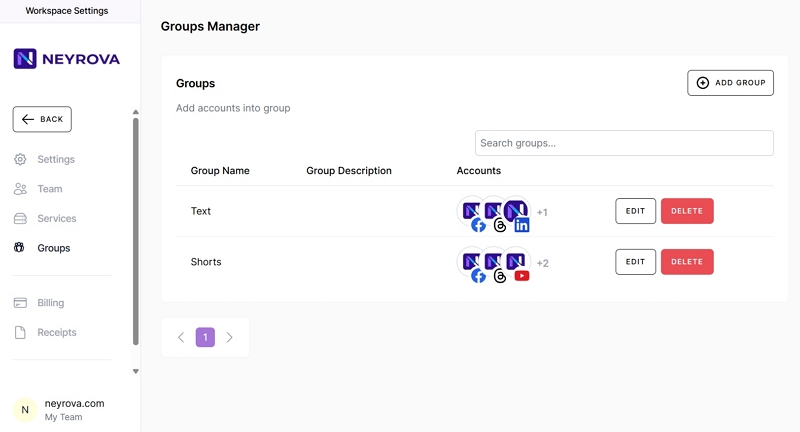
4. You can also edit or delete existing groups. Select a group and make the necessary changes: click Edit to modify it or Delete to remove it.
Publishing to a Group
You can publish content to a group by selecting its name at the top of the post editor.
When creating a new post, you can choose profiles based on a specific group.
Viewing Group Posts and Calendar
You can filter the posts list or calendar by selecting a group in the filter options.
The calendar will display only the posts from profiles that belong to the selected group.