



Depending on your region, you may have different preferences for how time is displayed. Some users prefer a 12-hour format, while others prefer a 24-hour format.
The same applies to the first day of the week: for some users it is Sunday, while for others it is Monday.
This guide explains how to configure the time format and the first day of the week.
1. Open the User Menu
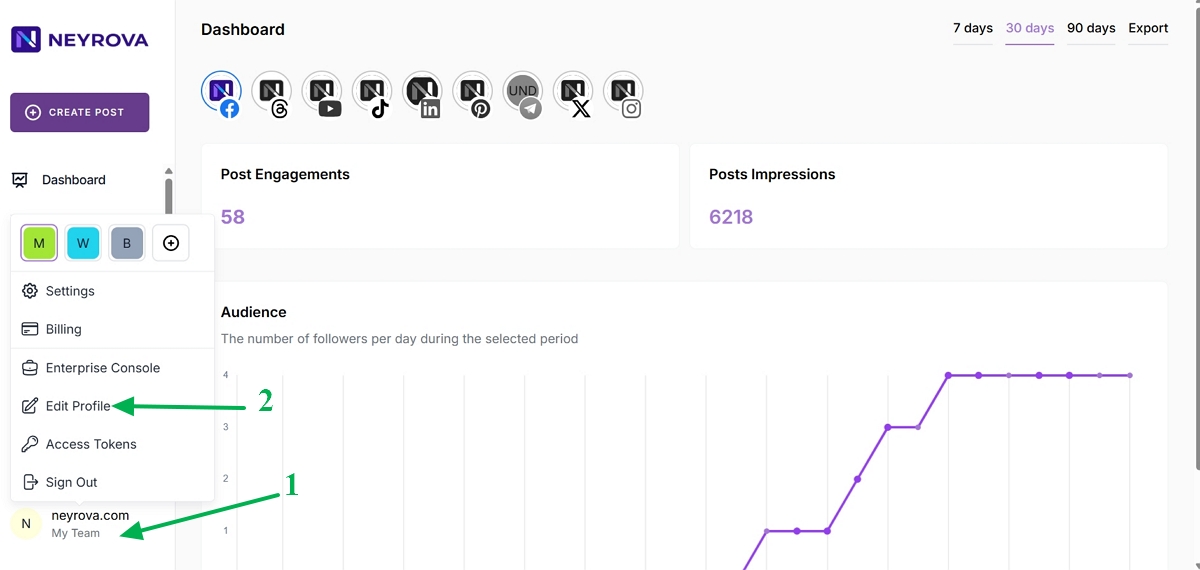
In the lower-left corner of the Neyrova dashboard, click your name.
This will open the user menu.
2. Go to Edit Profile
3. Open the My Preferences Section
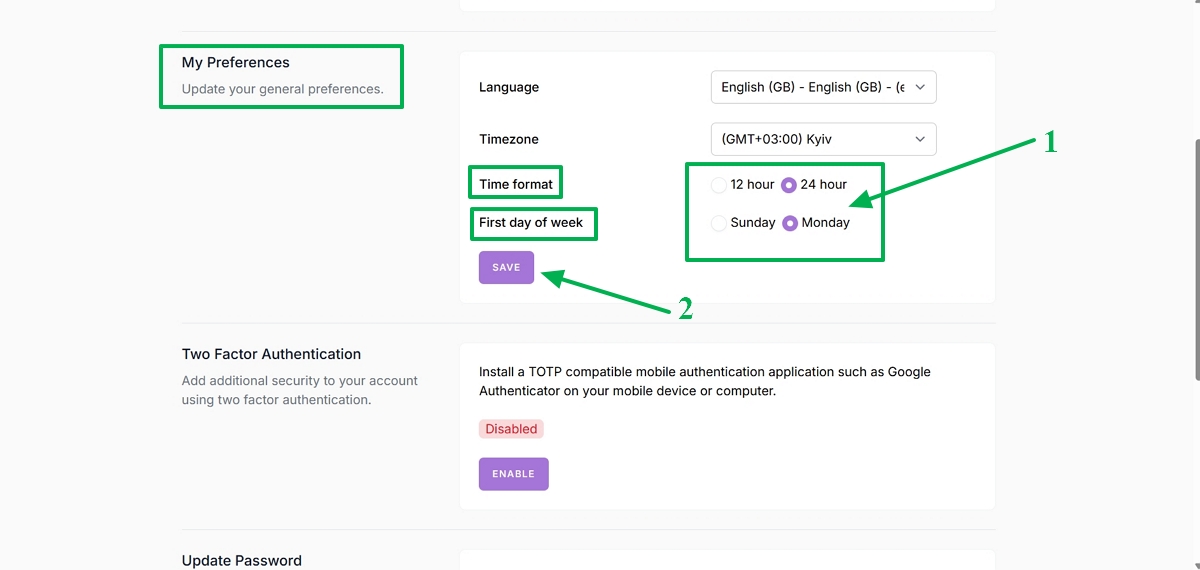
In the Language and Timezone settings section, you can choose the Time Format and First day of the week.
After configuring Time Format and First day of the week, click Save.
Summary
Neyrova allows you to customize the time display format and select the first day of the week according to your preferences.
Proper settings make it easier to work with the calendar and manage scheduled publications.