



This guide explains how to change the Neyrova interface language and configure the time zone for your account.
This is important for working with the platform in your preferred language and ensuring publication times are displayed correctly in the calendar.
1. Open the User Menu
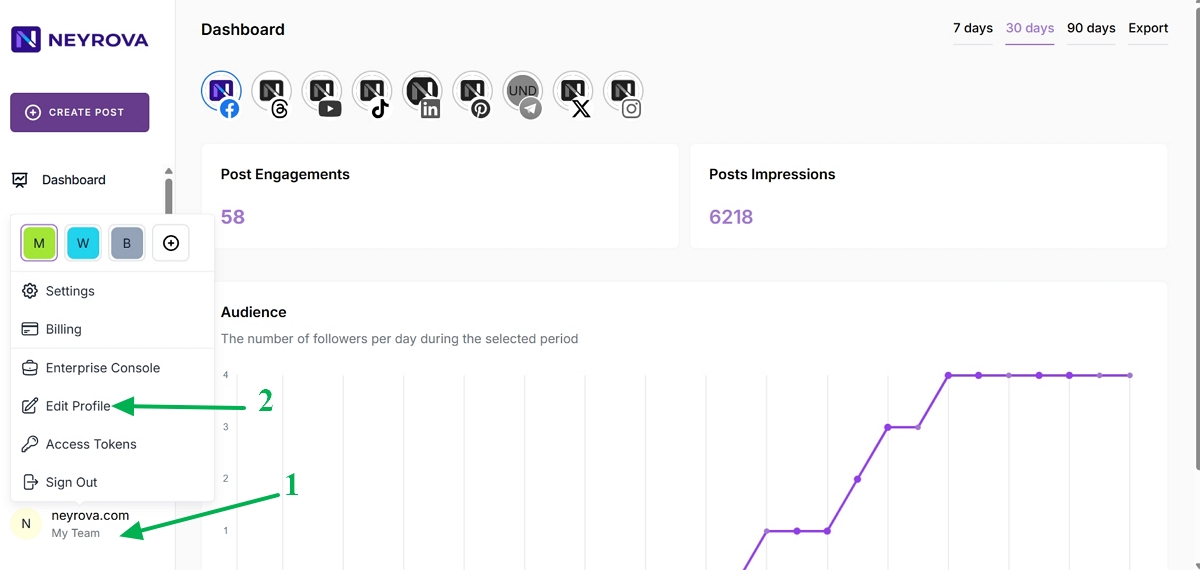
In the lower-left corner of the Neyrova dashboard, click your name.
This will open the user menu.
2. Go to Edit Profile
3. Select the Interface Language
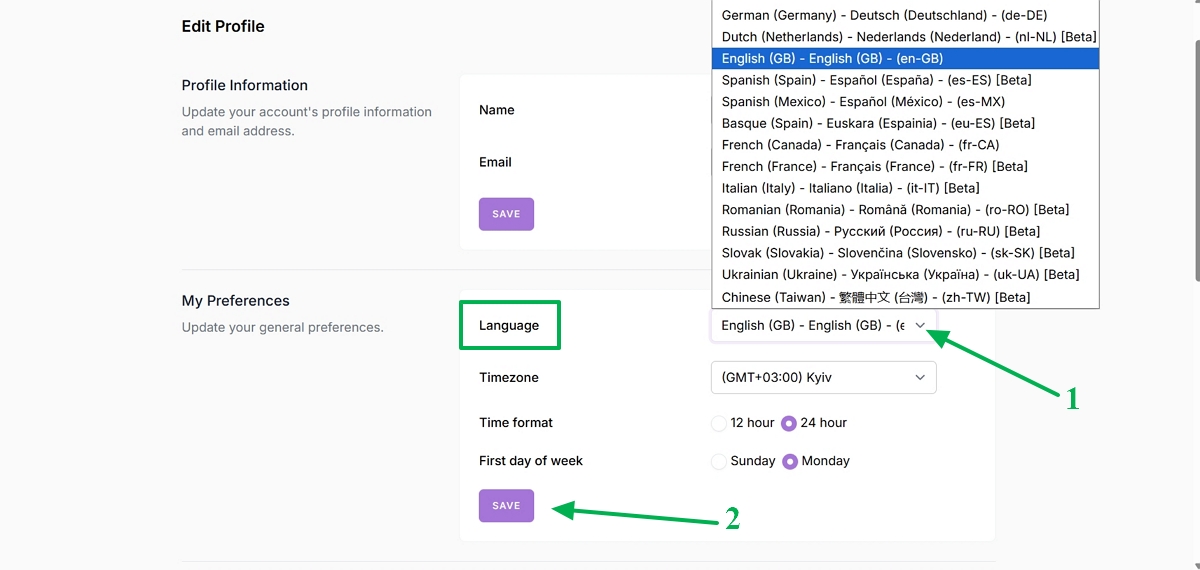
In the Language section, open the list of available languages.
Select your preferred interface language, such as English, Ukrainian, or another available language.
Then click Save to apply the changes.
4. Verify the Interface Update
After saving your changes, the Neyrova interface will be updated according to the selected language.
5. Configure the Time Zone
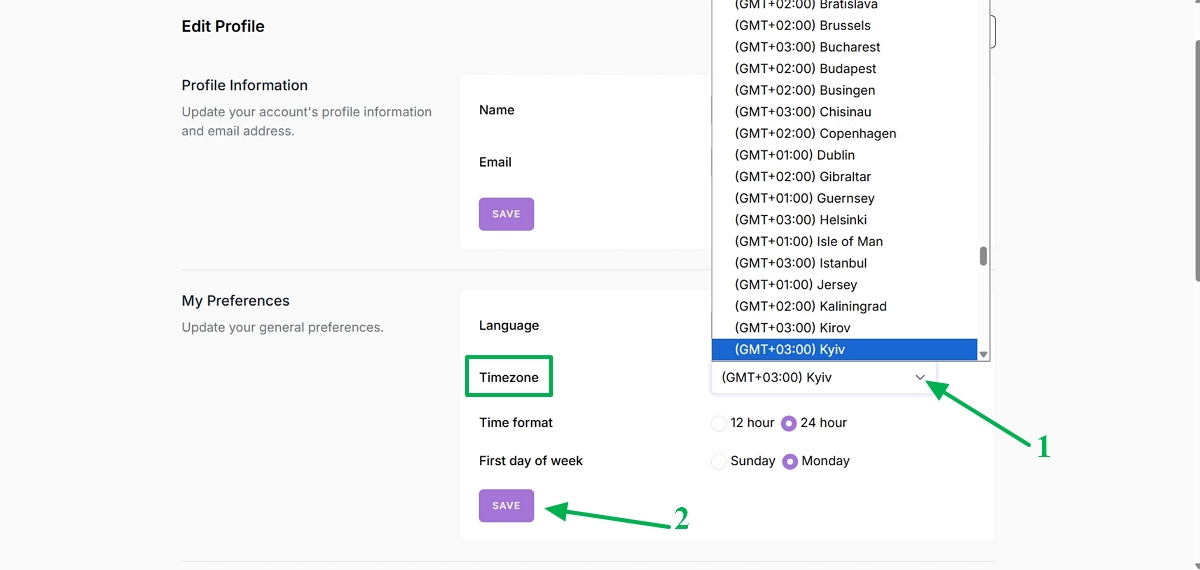
In the TimeZone section, open the list of available time zones.
Select the time zone that matches your region.
After selecting the correct time zone, click Save.
After that, publications and calendar events in Neyrova will be displayed according to the selected time zone.
Summary
In Neyrova, you can configure the interface language and account time zone separately.
Proper settings help you work comfortably with the platform and avoid confusion regarding the timing of scheduled posts.