



Remove Neyrova’s access from a social account if you no longer require its management through Neyrova. If the account has not been deleted from Neyrova, revoking access will disconnect it.
Revoke Neyrova Access to Your Twitter Account
Sign in to Twitter using this link: https://twitter.com/settings/connected_apps.
Select Neyrova, and then click Revoke app permissions.
Revoke Neyrova Access to Your Facebook Account
Sign in to Facebook using this link: https://facebook.com/settings?tab=business_tools
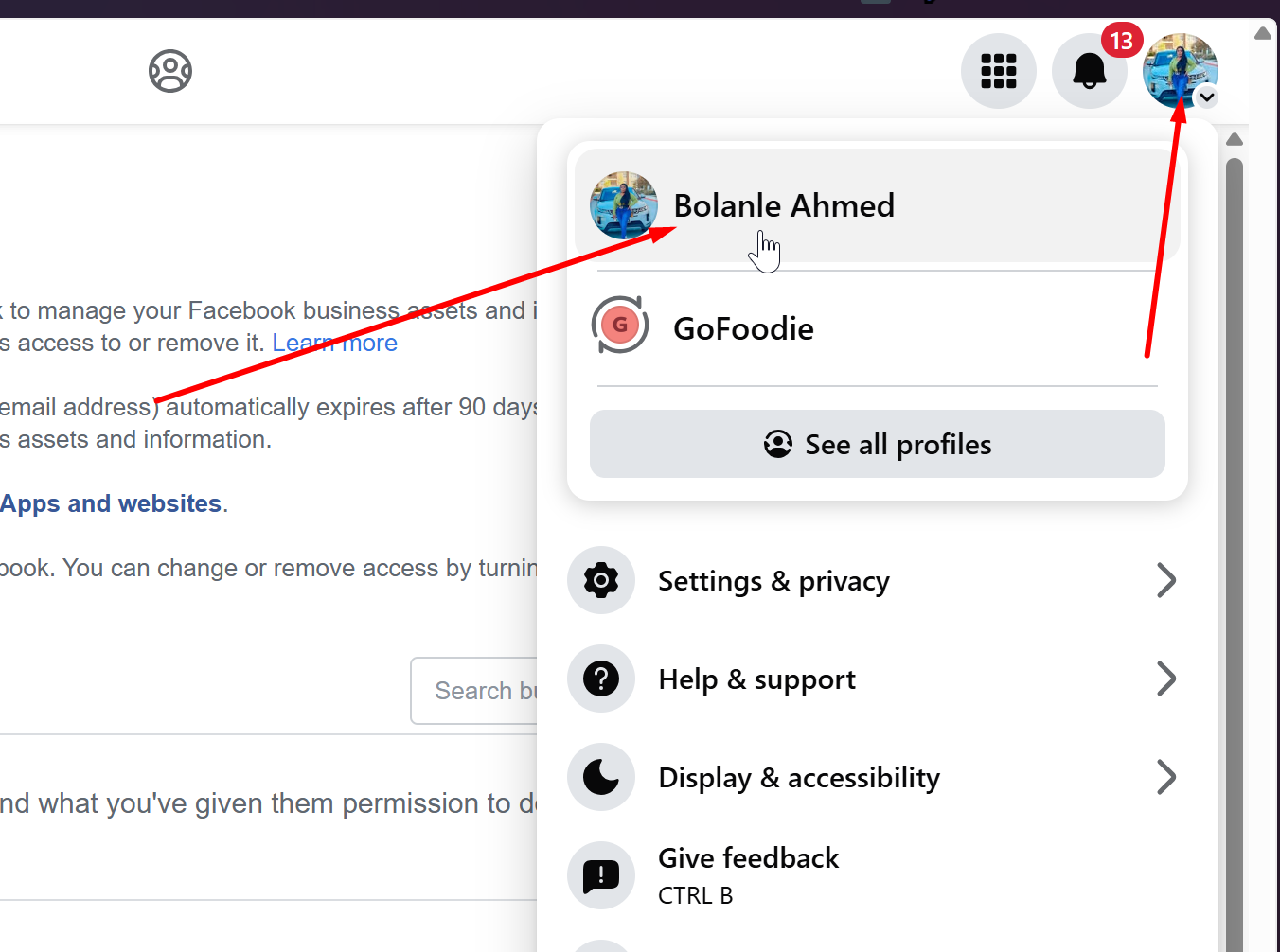
Ensure to switch to your Personal Profile:
Select the box beside Neyrova.
Click Remove.
Important: Revoking Facebook access disconnects any Facebook groups and Pages (connected to Neyrova) and any Instagram Business profiles linked to those Pages.
Revoke Neyrova Access to Your YouTube Account
Sign in to Google using this link: https://myaccount.google.com/permissions?hl=en_GB.
Select Neyrova and then click Remove Access.
Revoke Neyrova Access to Your LinkedIn Account
Sign in to LinkedIn using this link: https://linkedin.com/psettings/third-party-applications.
Click Remove beside Neyrova.
Revoke Neyrova Access to Your Instagram Account
Sign in to Instagram using this link: https://instagram.com/accounts/manage_access/.
Click Remove beside Neyrova.
Revoke Neyrova Access to Your Pinterest Account
Sign in to Pinterest using this link: https://pinterest.ca/settings/apps.
Click Revoke Access beside Neyrova.