



This guide explains how to import already published posts into your Neyrova account so you can gather all your content in one place and manage your social media more efficiently.
1. Sign In to Your Neyrova Account
Go to the Neyrova website and sign in using your account credentials.
2. Open the Posts Section
After signing in, navigate to the Neyrova dashboard.
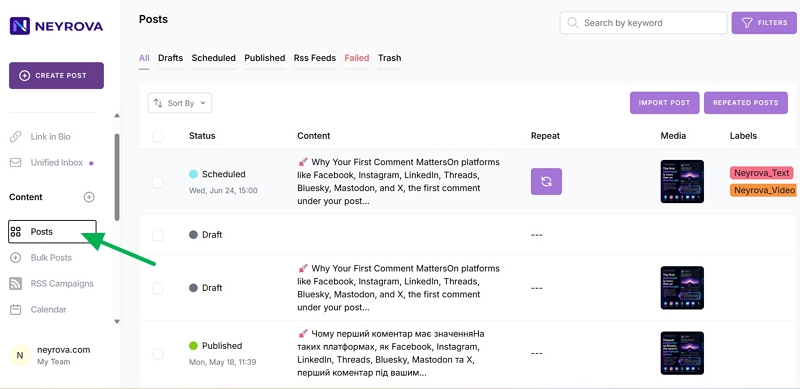
In the left-hand menu, find and click the Posts tab.
3. Click Import Posts
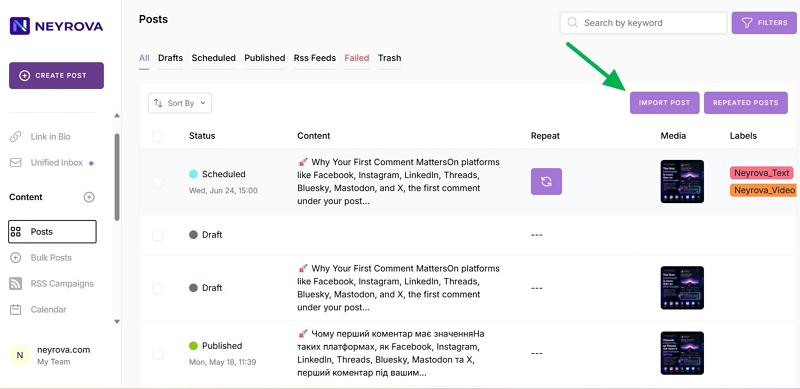
In the Posts section, locate the Import Posts button and click it.
This feature allows you to import posts that have already been published on your connected social media accounts.
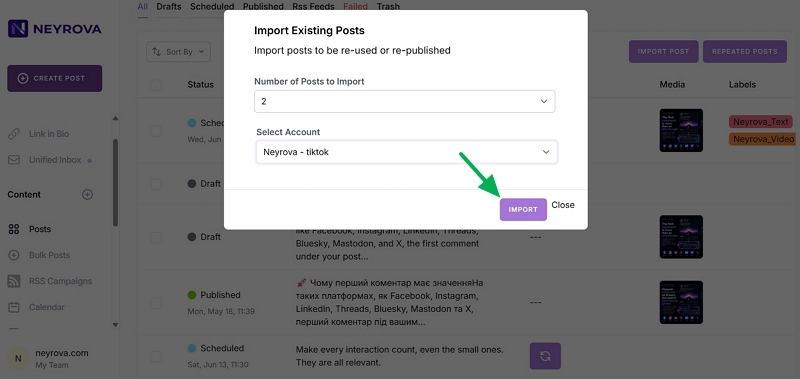
4. Select the Number of Posts to Import
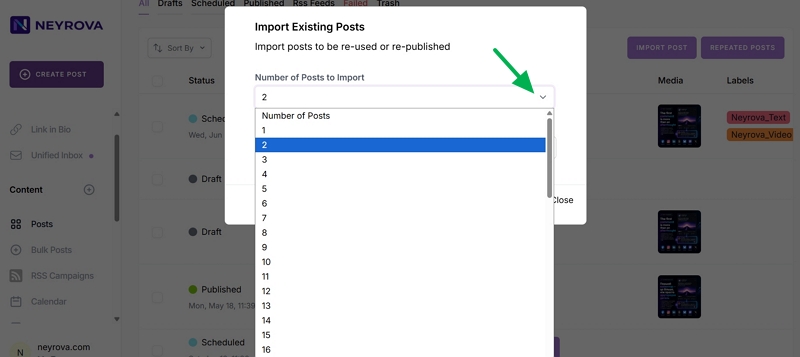
In the import window, select how many previous posts you want to transfer into Neyrova.
These can be the most recently published posts from the selected account.
5. Select an Account for Import
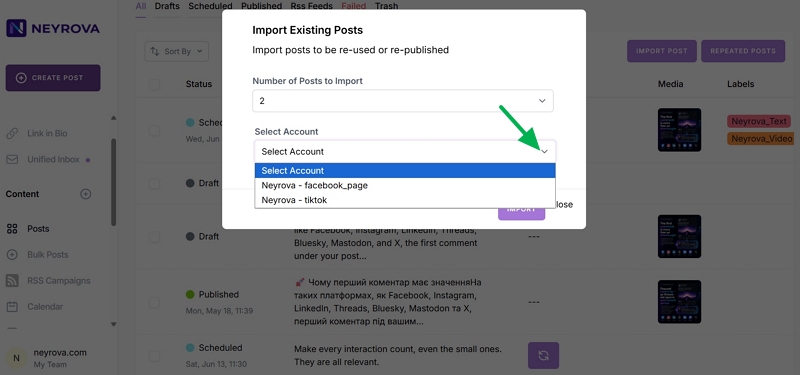
Next, choose the social media account from which you want to import posts.
Make sure the required profile is already connected to Neyrova.
6. Start the Import
After selecting the number of posts and the desired account, click the Import button.
Neyrova will begin importing the already published content into your dashboard.
7. Review Imported Posts
Once the import is complete, return to the Neyrova dashboard.
In the Posts section, locate the imported posts. Here, you can review them within your overall content list.
8. Manage Imported Content
Imported posts can be used in Neyrova just like newly created content.
You can:
- view posts;
- edit content;
- schedule posts for republishing;
- manage all publications from one place.
Summary
Importing previously published posts into Neyrova allows you to gather your social media content in one place and simplify content management.
This is especially useful if you want to quickly transfer existing content into Neyrova and work with it from a single dashboard.