



ALT text is alternative text that describes an image. It is important for accessibility, SEO, and helping search engines and supported platforms better understand image content.
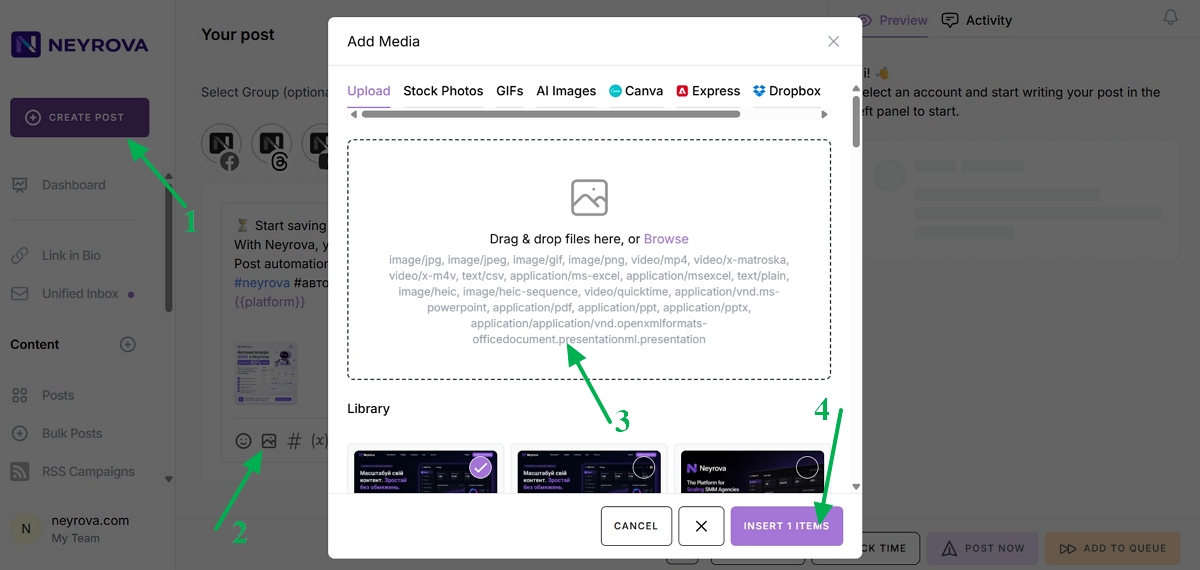
1. Open the Post Editor
Sign in to your Neyrova account and open the post editor.
2. Add an Image to Your Post
Create a new post and add an image from the media library. You can drag and drop it into the post area or select it from the file list.
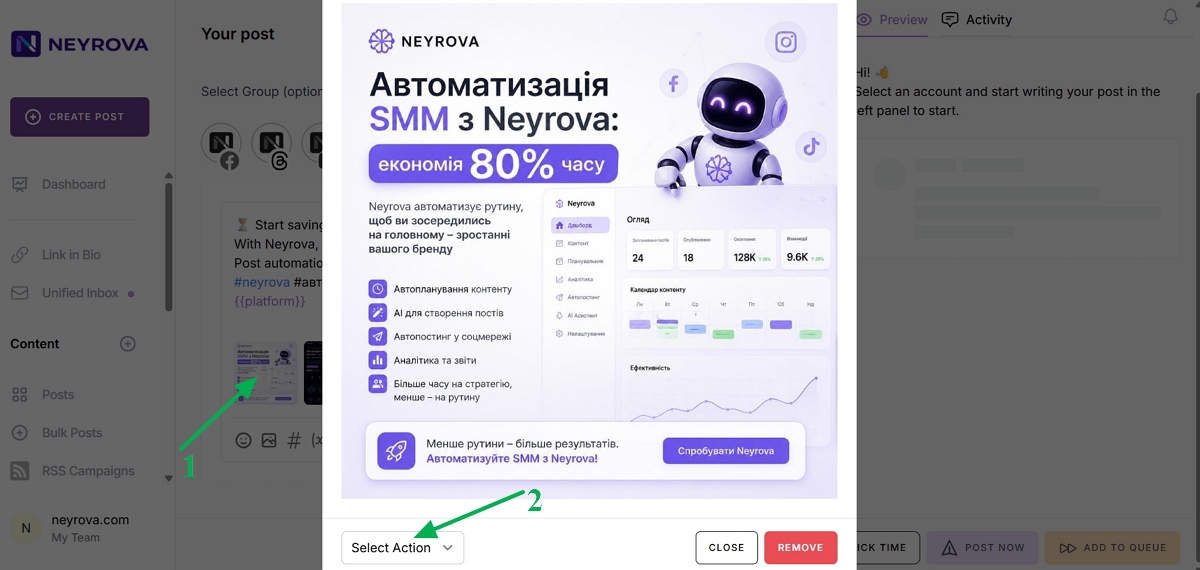
3. Open the Image Settings
Click the image you added to the post to open its settings menu.
Click Select Action.
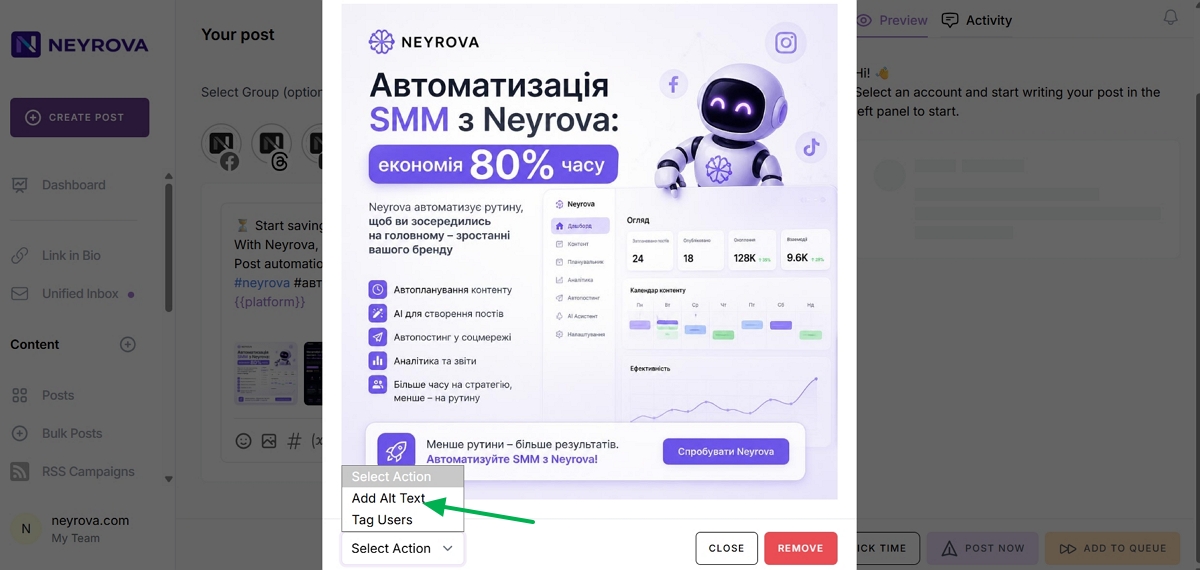
4. Click Add Alt Text
In the dropdown menu, click Add Alt Text.
A field for entering the description will appear below the image.
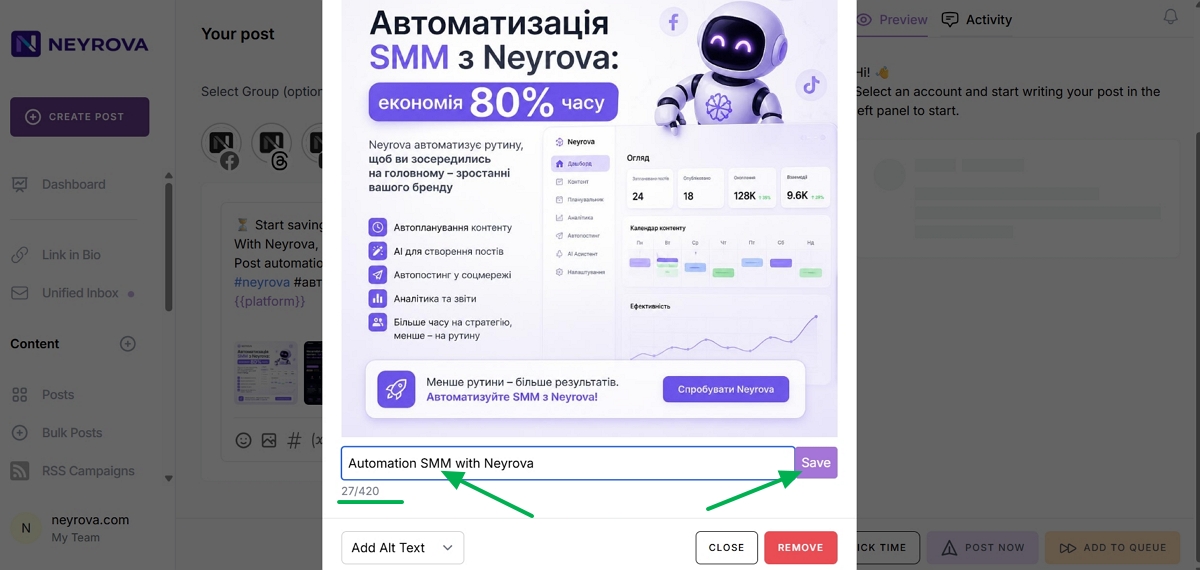
5. Enter an Image Description
Write a short and accurate description of what is shown in the image or graphic.
Example:
“Automation SMM with Neyrova”
6. Save the ALT Text
Click Save to save the description.
After that, the image can be published with ALT text on platforms that support this feature.
7. Edit the Description if Needed
To change the ALT text, click the image again, edit the description, and save your changes.
Summary
ALT text in Neyrova allows you to add a description to an image before publishing it. This makes content more accessible, easier for platforms to understand, and more beneficial for SEO.