



This guide explains how to import previously published posts into your Neyrova account. After importing, you can edit those posts, duplicate them, or schedule them for republishing on your preferred platforms.
1. Open the Posts Section
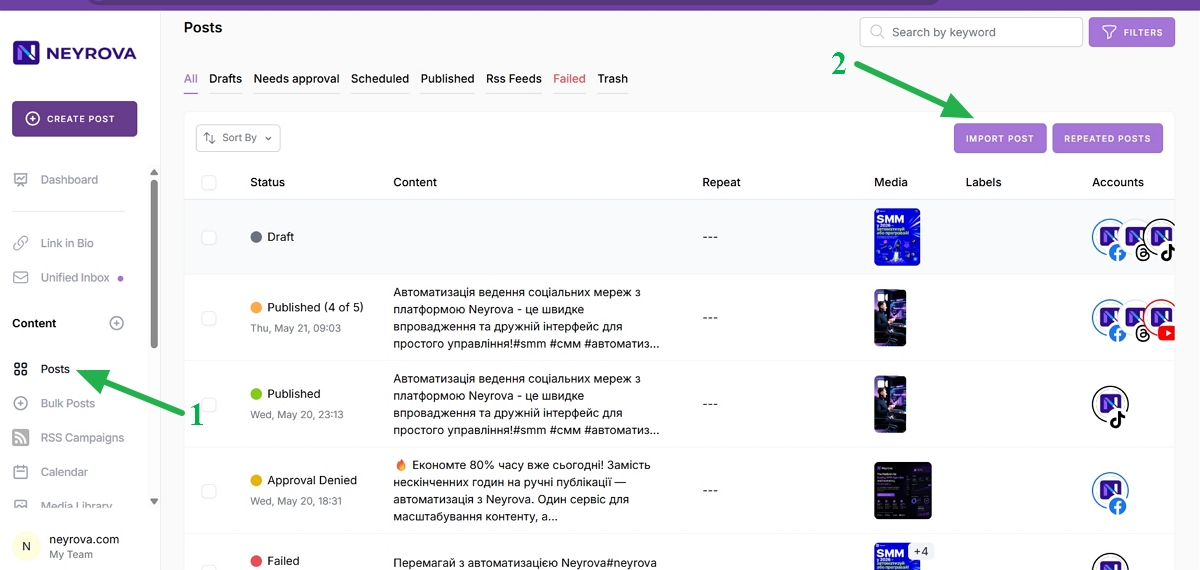
From the main Neyrova menu, navigate to the Posts section.
This section contains your drafts, scheduled posts, and previously published content.
2. Click Import Posts
In the upper-right corner of the page, click the Import Posts button.
This will open the import settings window.
3. Select the Number of Posts to Import
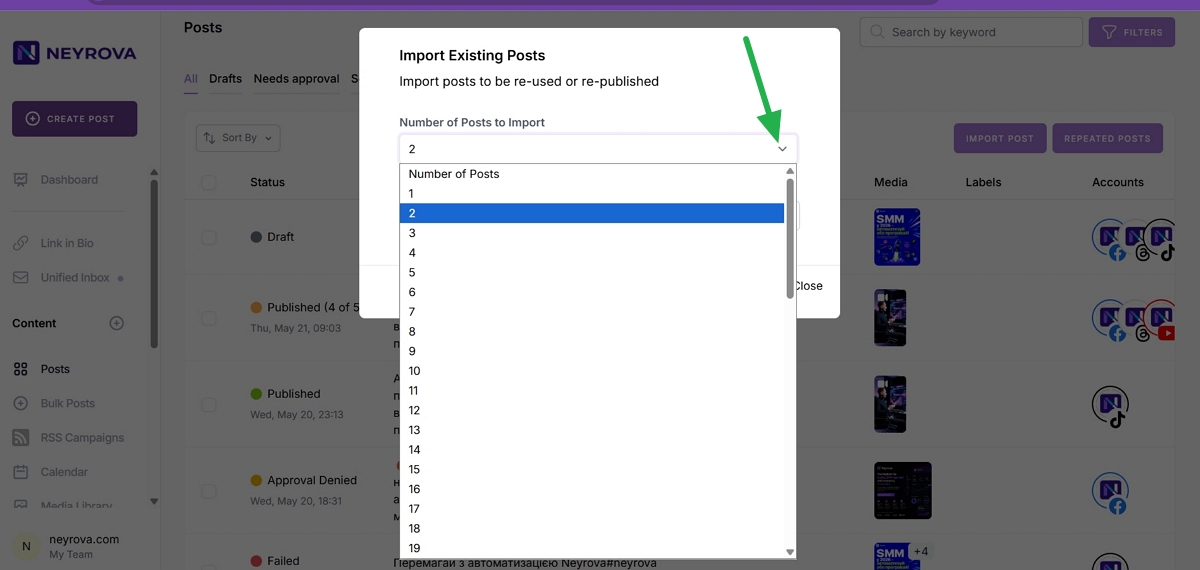
In the import window, specify how many previously published posts you would like to import into Neyrova.
Choose the quantity based on how much historical content you want to bring into your account.
4. Select a Social Media Account
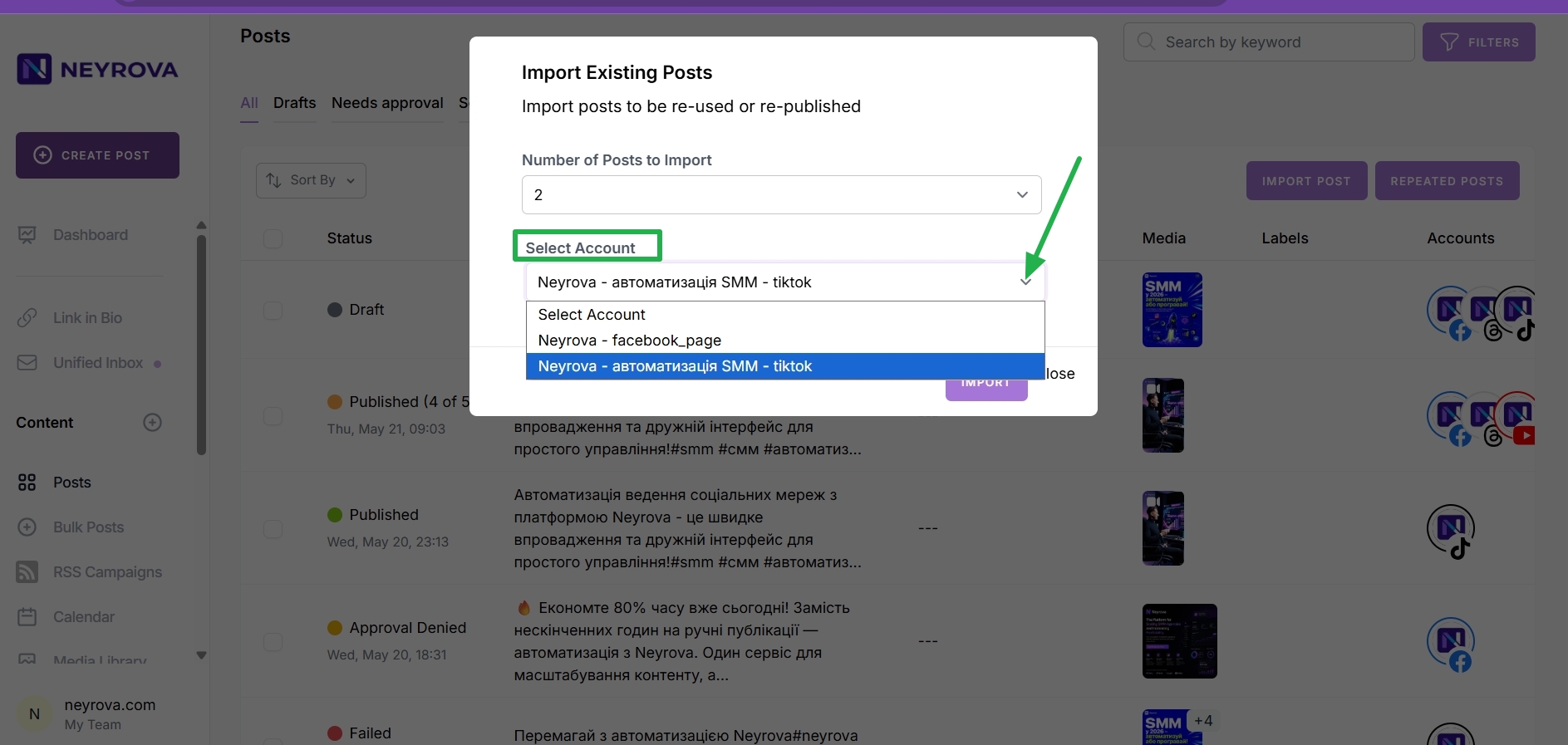
After selecting the number of posts, choose the social media account from which the posts should be imported.
5. Start the Import Process
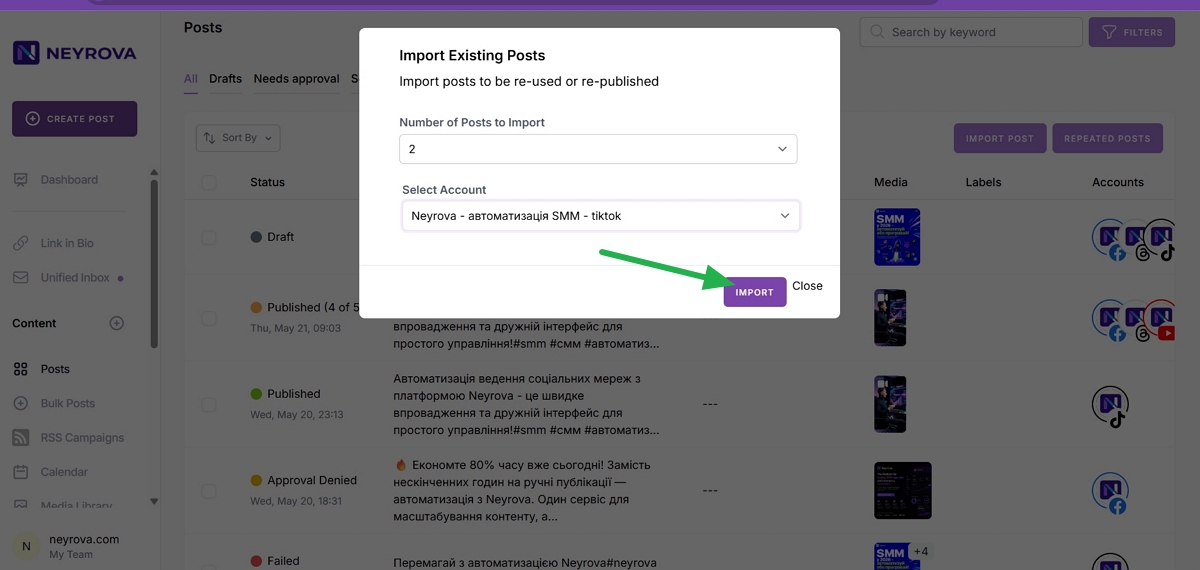
Click the Import button.
Neyrova will automatically retrieve previously published posts from the selected account.
6. Review Imported Posts
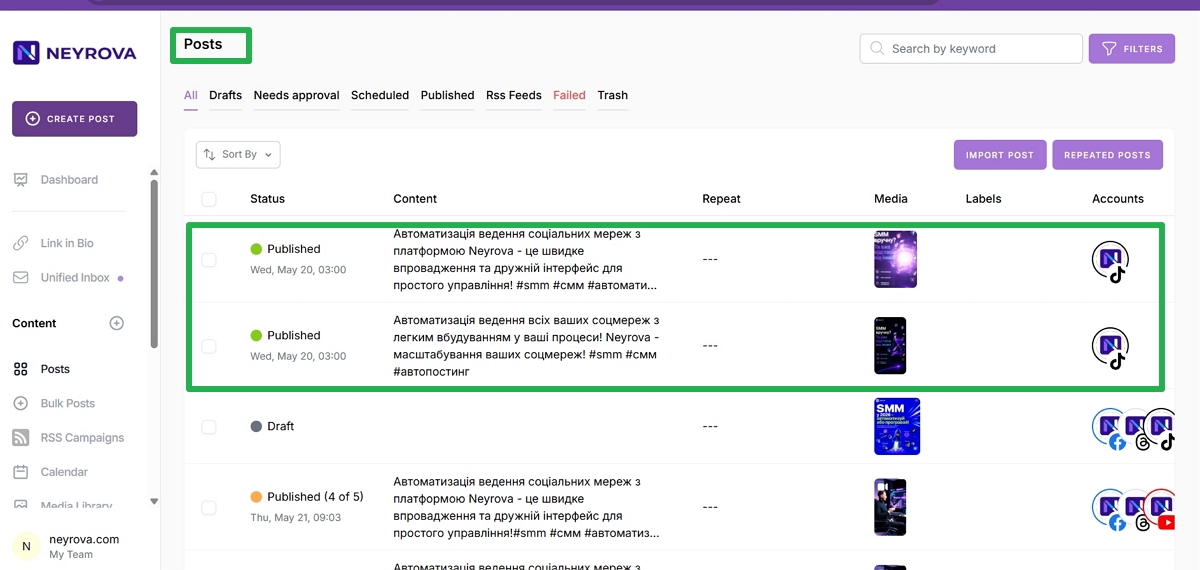
Once the import is complete, all imported posts will appear at the top of the list in the Posts section.
Verify that the desired posts have been successfully added to your Neyrova account.
7. Reuse Imported Posts
After importing, you can continue working with the posts:
- edit text and media;
- duplicate existing posts;
- schedule them for republishing;
- reuse older content in new marketing campaigns.
Summary
Importing published posts into Neyrova allows you to quickly bring existing content into the platform and reuse it whenever needed.
This is especially useful when updating older publications, repurposing successful posts, or scheduling content to be published again across different platforms.